Parallels 9 on Mavericks on MBP Retina

RickRobinson

Bit poster
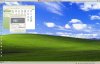
I have success with the installation and Parallels runs fine, but the XP operating system assumes a screen resolution of 2492x1514 and so everything is tiny, tiny, tiny. Icons are small, text is small, etc. I tried changing the resolution in the XP Control Panel, but it just reverts if I resize the resulting window. Is this something to do with having a retina display on my MBP? Desktop image looks fine, just all the icons, text, toolbar, etc are about 1/4 normal size (prior to upgrading.) See attached screenshot.Parallels DesktopScreenSnapz001.jpg
 
Have the VM running. Under the "Virtual Machine" menu, select "Configure..."

In the "Video" settings UNCHECK "Enable Retina resolution" checkbox.

That worked for me.
 
I don't see an "Enable retina resolution" checkbox. i only see a 3 way option for "Scaled", "Best for retina", and "More space". I'm running latest parallels 9

Have the VM running. Under the "Virtual Machine" menu, select "Configure..."

In the "Video" settings UNCHECK "Enable Retina resolution" checkbox.

That worked for me.
 
Sorry, I left out a step. In the "Configure..." window, select the "Hardware" settings. There, you should see a "Video" option on the left. click on that and see if the "Enable Retina resolution" checkbox is there.
 
Thanks for the help Rick. I noticed if i boot my windows 8 vm with the mac book pro lid closed and plugged into my thunderbolt display that it looks good (non retina). I'll go with that for now.
 
Back
Top