
Install the app
How to install the app on iOS
Follow along with the video below to see how to install our site as a web app on your home screen.
Note: This feature may not be available in some browsers.
You are using an out of date browser. It may not display this or other websites correctly.
You should upgrade or use an alternative browser.
You should upgrade or use an alternative browser.
Parallels no longer works at all
- Thread starter TucsonTom
- Start date
This seems to be related to the Windows inside the virtual machine rather Parallels application.
The virtual machine itself is a file that is by default located at /Users/<username>/Documents/Parallels/<VM_name>, this is a .pvm file and should be of a decent size (more than 1 Gb).
So, if you receive lots of messages during the virtual machine launch we would need to know at least some of the examples of these messages, screenshot would be greatly appreciated. Also, please, clarify the version of Parallels Desktop you are using.
As for now, I would suggest to try booting in the Safe mode first (pressing F8 at the VM launch, or Fn+F8 for Macbook), if it would not help you can also try to backup the virtual machine (just copy the above mentioned .pvm file to some other place) and perform a Windows repair, as per following article:
http://kb.parallels.com/en/5138
The virtual machine itself is a file that is by default located at /Users/<username>/Documents/Parallels/<VM_name>, this is a .pvm file and should be of a decent size (more than 1 Gb).
So, if you receive lots of messages during the virtual machine launch we would need to know at least some of the examples of these messages, screenshot would be greatly appreciated. Also, please, clarify the version of Parallels Desktop you are using.
As for now, I would suggest to try booting in the Safe mode first (pressing F8 at the VM launch, or Fn+F8 for Macbook), if it would not help you can also try to backup the virtual machine (just copy the above mentioned .pvm file to some other place) and perform a Windows repair, as per following article:
http://kb.parallels.com/en/5138
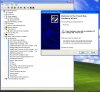
It looks like I lost the CD drive, the video controller, and the PCI device drivers (attached.) The found new hardward wizard is unable to find the drivers and it terminates with a not found error. Unfortunately, since the VM doesn't see the CD ROM drive I am unable to do a windows repair as you suggested.
Parallels version: 4.0.3810 (January 23, 2009)
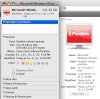
Parallels vm info attached
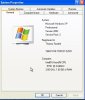
Windows PC info attached.
Mac info:
Hardware Overview:
Model Name: Mac Pro
Model Identifier: MacPro1,1
Processor Name: Dual-Core Intel Xeon
Processor Speed: 2.66 GHz
Number Of Processors: 2
Total Number Of Cores: 4
L2 Cache (per processor): 4 MB
Memory: 16 GB
Bus Speed: 1.33 GHz
Boot ROM Version: MP11.005C.B08
SMC Version: 1.7f10
Parallels version: 4.0.3810 (January 23, 2009)
Parallels vm info attached
Windows PC info attached.
Mac info:
Hardware Overview:
Model Name: Mac Pro
Model Identifier: MacPro1,1
Processor Name: Dual-Core Intel Xeon
Processor Speed: 2.66 GHz
Number Of Processors: 2
Total Number Of Cores: 4
L2 Cache (per processor): 4 MB
Memory: 16 GB
Bus Speed: 1.33 GHz
Boot ROM Version: MP11.005C.B08
SMC Version: 1.7f10
Attachments
Please try to create new Virtual Machine based on existing Hard Drive as follows:
a. Start Parallels. In Parallels Desktop menu bar click File -> New.
b. Choose Custom mode of installation. On the next steps leave default settings.
c. On the fourth step choose "Use an existing hard disk image".
d. Browse to your .hdd file.
e. Finish installation leaving default settings.
In case the issue persists, repair Windows installation as described in this knowledge base article:
http://kb.parallels.com/en/5138
a. Start Parallels. In Parallels Desktop menu bar click File -> New.
b. Choose Custom mode of installation. On the next steps leave default settings.
c. On the fourth step choose "Use an existing hard disk image".
d. Browse to your .hdd file.
e. Finish installation leaving default settings.
In case the issue persists, repair Windows installation as described in this knowledge base article:
http://kb.parallels.com/en/5138