Parallels Remote Application Server : how to disable autostart

kurtw3

Junior Member
How prevent to autostart the Parallels Client on startup. Where to change startup option in Parallels Client program?

Where to disable autostart? The Tools/Options is not available???? (its grey).
So i want to disable the autostart of the Parallels Client? Where to configure it?
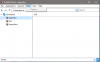
upload_2020-7-28_10-58-7.png
 
@kurtw3
Where to change startup option in Parallels Client program?
I think you know already, but for completeness sake it is:
Tools -> Options -> Advanced Settings -> Launch Automatically at Windows startup

Where to disable autostart? The Tools/Options is not available???? (its grey).
If the option is greyed out, then it is probable that the administrator of one of your configured RAS connections has pushed a RAS policy which prohibits you from changing the options. You could remove the connections to disable the policy, but it will be re-applied when you setup that connection again (along with the server-side RAS policies that it brings with it).

So i want to disable the autostart of the Parallels Client? Where to configure it?
If you are managing a RAS installation, you can check the RAS policies that you have configured in the RAS console, specifically the option mentioned above under the "Client Options -> Advanced -> Windows client" section. After you change the policy, if the auto-startup entry is not removed, the users should be able to disable/remove it via the task manager on their local machine.
 
Back
Top