Parallels running CS6 on MBP13 i7

  • Thread starter Thread starter Parallels User
  • Start date Start date
I can't get the resolution right

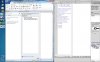
I have an i7 and i have gotten office products to work correctly - but there applications like chrome fonts and menu bar placement is off. When i installed CS6 - all menu fonts were super small. I've tired multiple options but I can't get Dreamweaver working correctly. You can see this attachement - same VM - MS Word looks perfect - Dreamweaver - fonts on menu are too small to read.

-rv
 

Attachments

  • Screen Shot 2012-11-07 at 9.42.47 AM.jpg
    Screen Shot 2012-11-07 at 9.42.47 AM.jpg
    150.9 KB · Views: 12
If you're using rMBP try setting VM > Configure > Hardware > Video > Resolution to Scaled instead of Best for Retina.
 
Photoshop worked fantastic through mine, even adobe premiere cs6 was running okay. But dreamweaver was just terrible. It had a white bar down at the bottom that was jittering both on the iPad and the Macbook. Whenever I tried to click on something it just deleted it as if someone was holding down the delete button on everything. It would not let me edit anything, it would just delete content. Even if I started a new html or opened an exisiting html.
 
Sorry to bring up an old thread but did anyone have any luck? I'm running Fireworks and Photoshop CS6 on my Windows 8.1. Parallels install on a 13" MBPr. The icons etc are tiny and it's unusable.

Tried this as suggested "If you're using rMBP try setting VM > Configure > Hardware > Video > Resolution to Scaled instead of Best for Retina." but remains the same.

Windows just gets a extremely high native resolution, you can get windows and most other apps looking ok by adjusting the size option in display within control panel but the Adobe apps don't seem to adhere to this setting.
 
Had the same issue and this page was the top of Google results. Pasting below what worked for me from community.adobe.com forums:

This is a little late,but for windows, I found that if you navigate to where the actual application file(.exe) is,right-click it and select properties,choose the compatibility tab and select "Change high dpi settings" under the settings section,in the next window, select the checkbox that says "High DPI scaling override",and choose "System" from the drop down.-Hit ok to save the changes, and then re-open Photoshop(i've only tested it with photoshop and illustrator).That fixed it for me.
 
Back
Top