I have copied this post from "Mac OS X Guest OS Discussion" (seems this support room has more traffic)
http://forum.parallels.com/showthread.php?t=32135
-----------------------------------
Hello,
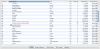
I just upgraded recently from PD3 to PD4 and I now get two occurrences of "Parallels Service (Not Responding)" in Activity Monitor...
603 Parallels Service (Not Responding) rscovel 13.0 29 749.48 MB 1.60 GB
128 Parallels Service (Not Responding) root 0.0 15 9.06 MB 321.62 MB
588 Parallels Desktop rscovel 1.8 8 93.87 MB 1.16 GB
All was working fine and then all of a sudden I could hear my fans ramp up in my 17" MBP (2.4 Ghz Intel Core 2 Duo). I have been able to get Parallels to work (I defraged my hard drive and that seems to have helped the pegging of the processor(s) but the two instances of "Parallels Service (Not Responding)" remain.
Is anyone else experiencing this issue?
Do I need to reinstall PD4 from scratch?
I look forward to any comments and help.
Thank you.
http://forum.parallels.com/showthread.php?t=32135
-----------------------------------
Hello,
I just upgraded recently from PD3 to PD4 and I now get two occurrences of "Parallels Service (Not Responding)" in Activity Monitor...
603 Parallels Service (Not Responding) rscovel 13.0 29 749.48 MB 1.60 GB
128 Parallels Service (Not Responding) root 0.0 15 9.06 MB 321.62 MB
588 Parallels Desktop rscovel 1.8 8 93.87 MB 1.16 GB
All was working fine and then all of a sudden I could hear my fans ramp up in my 17" MBP (2.4 Ghz Intel Core 2 Duo). I have been able to get Parallels to work (I defraged my hard drive and that seems to have helped the pegging of the processor(s) but the two instances of "Parallels Service (Not Responding)" remain.
Is anyone else experiencing this issue?
Do I need to reinstall PD4 from scratch?
I look forward to any comments and help.
Thank you.