
[Solved] Parallels Tool Installation folder shows only asian symbols
I use Parallels 7 on Mac OS X and want to use Ubuntu Linux 11.10 as guest.
I start the Ubuntu VM, log in and click on "Virtual Machnie->Install Parallels Tools..."
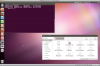
After a while I can open a Parallels device which is mounted at /media/CDROM. Unfortunalty the file names consist of asian characters (see attachment). On seems to be a folder and two seem to be archieves. The rest is text files. One is a shell script which seems to create a PID.
How can I install the Parallels tools?
I use Parallels 7 on Mac OS X and want to use Ubuntu Linux 11.10 as guest.
I start the Ubuntu VM, log in and click on "Virtual Machnie->Install Parallels Tools..."
After a while I can open a Parallels device which is mounted at /media/CDROM. Unfortunalty the file names consist of asian characters (see attachment). On seems to be a folder and two seem to be archieves. The rest is text files. One is a shell script which seems to create a PID.
How can I install the Parallels tools?
Attachments
Last edited: