David_Anglin
Bit poster
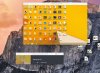
Doing an initial install of Parallels 10 with Full install Windows 8.1 DVD. Install of Parallels, activation, recognition of Windows 8.1 key went went well, and the dialog said that Windows would now be installed. That was over two hours ago and the Parallels wizard ball is still spinning. I can move the window, get the windows icons along the bottom to open. The install apps are not frozen per the Force Quit command. I actually was able to update some Windows apps. I was never asked to install Parallels Tools.
I have a recent model iMac with plenty of RAM and hard drive space. I'm uploading log file, screen pic, and system report.
David Anglin
I have a recent model iMac with plenty of RAM and hard drive space. I'm uploading log file, screen pic, and system report.
David Anglin