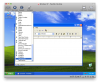
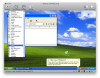
We are experiencing a very frustrating issue with Parallels Desktop for Mac 4.0. It seems when version 4.0 installs it seems to install some phantom fonts into Windows including among others "Albertus," "Helvetica," "Harrington," "Mona Lisa Recut," and "Zapf- Dingbats" and "Chancery". These fonts are not really there. They do not appear in the Windows XP fonts folder, but they do appear in the font menus of Windows applications. If you try to select one of those fonts and try to use it, they don't work. Windows displays Arial, Times New Roman, or Windings instead which is normal behavior in WIndows if the OS can't find the fonts to use.
I went crazy trying to figure out where these phantom fonts came from and I finally figured out that it was the Parallels installer (or the tools) that seems to be installing these phantom fonts. I checked many Parallels installs at different locations and the the version 4 installs have these phantom fonts. I installed Parallels 4 as a brand new copy on one of our computers and found that on the first boot after install, without ANY further installs or setup, the phantom fonts appear in the menus.
Further, I installed Parallels 4 and Windows XP on another computer without ANY other software besides the basic Mac OS (fresh install) and the phantom fonts were there on first boot up. As a test, I installed a demo of VM Ware Fusion 3.0 and installed Windows XP using the SAME disc that I used with Parallels and the phantom fonts are not there. Only the fonts installed in Windows appear. Lastly, I installed Windows XP using the SAME disc in a Bootcamp partition that Parallels has no control over and the phantom fonts do not appear there either. So it seems that Parallels seems to half install some phantom fonts.
What is going on here? Why are these Phantom fonts installed? Am I missing something? How can I remove them? We don't want them and they actually get in the way of our company using Windows in Parallels. Anyone have any ideas? This is driving me nuts.
I went crazy trying to figure out where these phantom fonts came from and I finally figured out that it was the Parallels installer (or the tools) that seems to be installing these phantom fonts. I checked many Parallels installs at different locations and the the version 4 installs have these phantom fonts. I installed Parallels 4 as a brand new copy on one of our computers and found that on the first boot after install, without ANY further installs or setup, the phantom fonts appear in the menus.
Further, I installed Parallels 4 and Windows XP on another computer without ANY other software besides the basic Mac OS (fresh install) and the phantom fonts were there on first boot up. As a test, I installed a demo of VM Ware Fusion 3.0 and installed Windows XP using the SAME disc that I used with Parallels and the phantom fonts are not there. Only the fonts installed in Windows appear. Lastly, I installed Windows XP using the SAME disc in a Bootcamp partition that Parallels has no control over and the phantom fonts do not appear there either. So it seems that Parallels seems to half install some phantom fonts.
What is going on here? Why are these Phantom fonts installed? Am I missing something? How can I remove them? We don't want them and they actually get in the way of our company using Windows in Parallels. Anyone have any ideas? This is driving me nuts.