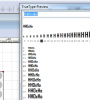
I'm stuck with Parallels 12 for the main part of my work. Starting with parallels 13 I can't see sharp pixels on Windows 7 any longer. Everything is smooth/blurry.
I need to be able to see sharp pixels on Retina display with 200% Scaling. Also on a external screen with low resolution, the pixels are no longer sharp.
The Scaled option should have a "sharp" option that shows sharp pixels like on older versions of Parallels.
I'm working in TrueType hinting and screen-optimization of icons. Seeing realistic rendering is crucial to be able to do my work. Being stuck with parallels 12, means I'm not able to run other testing environments like recent versions of Linux or Windows for other purposes.
Since there is no way to run two versions of Parallels next to each other, I have to juggle with external backups and installations. Which is pretty impractical.
I need to be able to see sharp pixels on Retina display with 200% Scaling. Also on a external screen with low resolution, the pixels are no longer sharp.
The Scaled option should have a "sharp" option that shows sharp pixels like on older versions of Parallels.
I'm working in TrueType hinting and screen-optimization of icons. Seeing realistic rendering is crucial to be able to do my work. Being stuck with parallels 12, means I'm not able to run other testing environments like recent versions of Linux or Windows for other purposes.
Since there is no way to run two versions of Parallels next to each other, I have to juggle with external backups and installations. Which is pretty impractical.