
Install the app
How to install the app on iOS
Follow along with the video below to see how to install our site as a web app on your home screen.
Note: This feature may not be available in some browsers.
You are using an out of date browser. It may not display this or other websites correctly.
You should upgrade or use an alternative browser.
You should upgrade or use an alternative browser.
Problems saving files to shared folders in Parallels
- Thread starter basz
- Start date
Hello,
First of all, thank you for your response! I appreciated any help that you may be able to offer!
Here is an more detailed explanation of the problems I am having.
- It all started when I made back up copies of my work and school folders. I have a number of folders that I copy every now and again to an external hard drive to have a back up should something go wrong with my computer. I usually change the name of the folder in finder by adding a suffix with the current date. I then copy the folder to the external hard drive. Once it has copied, and I know that it is alright, I delete the old folder from the hard drive.
- After I did this a couple of weeks ago, I tried to "save as" from I file I had opened in AutoCAD (it runs in Windows on the parallels side). It would not let me save to any folder other than the one that the original file was opened from. I got a message on the AutoCAD command promt asking to make sure that I had specified the correct file path. I tried again to select the desired folder and save the file, but the file path always reverts back to the folder that the original file came out of.
- I also tested this problem in notepad, and could not "save as" at all.
- However, I am able to "save as" in one other program, a structural engineering program called "Sizer"
- If I "Save as" to the folder that the file originated from, giving the new file a different name, I am able to copy the file to the folder that I actually want it to be in and open it from there. However, I am still not able to "Save as". It doesn't seem to matter if I do this copy and paste in Windows or in Finder.
- The only thing I can think of that may have caused this problem, is if I had AutoCAD open when I was renaming and saving folders in Finder. I guess this may have confused the file paths.
- I have updated to build number 3224
- I have reinstalled Parallels Tools
- I have tried to repair AutoCAD with the installation disk
- I have done a defragmentation in Windows (I am not sure if this does anything since Windows is running through Parallels...)
- I have verified and repaired disk permissions on my Mac
Any suggestions you have would be greatly appreciated!!! I have found a way to work around this for the meantime, but the problem is extremely inconvenient.
Thank you for you help!
Cheers,
Steph
First of all, thank you for your response! I appreciated any help that you may be able to offer!
Here is an more detailed explanation of the problems I am having.
- It all started when I made back up copies of my work and school folders. I have a number of folders that I copy every now and again to an external hard drive to have a back up should something go wrong with my computer. I usually change the name of the folder in finder by adding a suffix with the current date. I then copy the folder to the external hard drive. Once it has copied, and I know that it is alright, I delete the old folder from the hard drive.
- After I did this a couple of weeks ago, I tried to "save as" from I file I had opened in AutoCAD (it runs in Windows on the parallels side). It would not let me save to any folder other than the one that the original file was opened from. I got a message on the AutoCAD command promt asking to make sure that I had specified the correct file path. I tried again to select the desired folder and save the file, but the file path always reverts back to the folder that the original file came out of.
- I also tested this problem in notepad, and could not "save as" at all.
- However, I am able to "save as" in one other program, a structural engineering program called "Sizer"
- If I "Save as" to the folder that the file originated from, giving the new file a different name, I am able to copy the file to the folder that I actually want it to be in and open it from there. However, I am still not able to "Save as". It doesn't seem to matter if I do this copy and paste in Windows or in Finder.
- The only thing I can think of that may have caused this problem, is if I had AutoCAD open when I was renaming and saving folders in Finder. I guess this may have confused the file paths.
- I have updated to build number 3224
- I have reinstalled Parallels Tools
- I have tried to repair AutoCAD with the installation disk
- I have done a defragmentation in Windows (I am not sure if this does anything since Windows is running through Parallels...)
- I have verified and repaired disk permissions on my Mac
Any suggestions you have would be greatly appreciated!!! I have found a way to work around this for the meantime, but the problem is extremely inconvenient.
Thank you for you help!
Cheers,
Steph
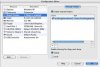
Hi Stacey,
I have AutoCAD installed in Windows, but all of my files are in the shared folder. So I cannot open an existing file if I delete the Shared Folder.
However, I followed the instructions as best I could:
1. I deleted the Shared Folder and disabled all "Shared Folders"
2. I opened AutoCAD and just saved a new file onto the Windows desktop
3. I enabled the "Shared Folders" and created a new Shared Folder
The problem persists.
I always save files from the Windows side into the shared folder so that everything is accesible from the Mac, since I do all of my emailing and such on the Mac side.
Did I perhaps not follow the instructions correctly?
Thanks,
Steph
I have AutoCAD installed in Windows, but all of my files are in the shared folder. So I cannot open an existing file if I delete the Shared Folder.
However, I followed the instructions as best I could:
1. I deleted the Shared Folder and disabled all "Shared Folders"
2. I opened AutoCAD and just saved a new file onto the Windows desktop
3. I enabled the "Shared Folders" and created a new Shared Folder
The problem persists.
I always save files from the Windows side into the shared folder so that everything is accesible from the Mac, since I do all of my emailing and such on the Mac side.
Did I perhaps not follow the instructions correctly?
Thanks,
Steph