Purge Settings Audit

SamS22

Member
Great feature addition with the latest RAS to not replicate administrators audit data on all Connection Brokers.
Every few months it seems Settings between our Connection Brokers get out of sync casuing us major issues. so hopefully that helps on that.

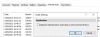
Currently have 15,000 entries in the settings audit.
There does not seem to be any menu option or powershell option to export audit settings (eg: to a CSV) or purge audit settings.
Any way we can do that?

upload_2023-9-6_11-5-43.png
 

Attachments

  • upload_2023-9-6_11-3-16.png
    upload_2023-9-6_11-3-16.png
    18.5 KB · Views: 4
Thank you for your feedback. This is a great new feature specifically added in Parallels RAS 19.3 to optimize the communication between various connection brokers. Once can uncheck the replication and keep backup of the audit log file, and then if in the future primary connection broker is changed one can still retrieve the older audit logs.

In addition, this implementation can be considered as the first phase. In the future versions (2024) we would explore adding the ability for audit retention and archive where specific duration to retain and sync data is configured while the rest would be stored in an archive in a central repository. This should also address the request highlighted above.
 
Great feature addition with the latest RAS to not replicate administrators audit data on all Connection Brokers.
Every few months it seems Settings between our Connection Brokers get out of sync casuing us major issues. so hopefully that helps on that.

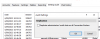
Currently have 15,000 entries in the settings audit.
There does not seem to be any menu option or powershell option to export audit settings (eg: to a CSV) or purge audit settings.
Any way we can do that?

View attachment 21195
Hi,
maybe we had a simmilar issue, we had to restart primary cb every few month, but we have at the moment over 260.000 entries in audit database.
but since 19.2.2 version this issue seems to be solved on our side.
br
chris
 
Back
Top