Techhead156
Hunter
To my understanding a VM (once activated), stays activated. I also thought this was true even on different Macs,
I recently had a 2.2 Gig Mac Go "bust" but I had Windows XP activated and backed up on DVD.
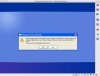
Since then I got a new mac, and thought i'd install Parallels on it. All was fine till after installing Parallels Tools, upon the next boot, winxp ask me to re-activate... as the attachment shows.
While I understand this would be caused by the MAC address of the VM being different, why is this so? Don't Parallels, like all VM based apps, use virtual hardware, which is why I could install it fine on the same mb as many times as i like without worrying about re-action, but nt on a different mac?
I recently had a 2.2 Gig Mac Go "bust" but I had Windows XP activated and backed up on DVD.
Since then I got a new mac, and thought i'd install Parallels on it. All was fine till after installing Parallels Tools, upon the next boot, winxp ask me to re-activate... as the attachment shows.
While I understand this would be caused by the MAC address of the VM being different, why is this so? Don't Parallels, like all VM based apps, use virtual hardware, which is why I could install it fine on the same mb as many times as i like without worrying about re-action, but nt on a different mac?