
Install the app
How to install the app on iOS
Follow along with the video below to see how to install our site as a web app on your home screen.
Note: This feature may not be available in some browsers.
You are using an out of date browser. It may not display this or other websites correctly.
You should upgrade or use an alternative browser.
You should upgrade or use an alternative browser.
Removed OS stays as optional programs
- Thread starter BartS1
- Start date
Arun@Parallels
Parallels Support
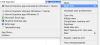
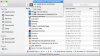
Dear Arun, see my attached files, could you please let me know where to delete the old OS more than the normal way? (I still see the old OS sometimes in menu's). Thanks in advanced.Hi @BartS1 , are you talking about Guest OS? If yes what guest Os you had on your Mac?
Regards,
Bart

alexg
Parallels Developers