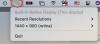
I just upgraded to MacOS Big Sur. I've never used the Screen Resolution tool before the upgrade so I can't say if it worked previously. I thought I'd give it a try to manage my resolution on three monitors.
When I click the icon, nothing happens. No application launches, nothing! No errors either.
What I've tried so far:
1. Logged out and back in
2. Rebooted my mac
3. Uninstalled Parallels Toolbox and reinstalled
Has anyone else encountered this issue and if so, what was the resolution?
When I click the icon, nothing happens. No application launches, nothing! No errors either.
What I've tried so far:
1. Logged out and back in
2. Rebooted my mac
3. Uninstalled Parallels Toolbox and reinstalled
Has anyone else encountered this issue and if so, what was the resolution?