MartinBear
Member
Situation:
MacBookPro, 10.5.2, Parallels build 5584 with WinXP SP2 and all current patches.
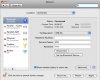
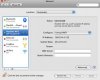
On the road, no wired or wireless ethernet available, so making a connection to internet via Bluetooth and 3G mobile phone (from the host Mac OS).
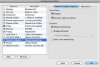
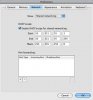
Shared networking enabled. DCHP scope for Shared Networking is 10.0.0.200 -- 210
But ... no shared networking available for Parallels. It appears that shared network doesn't recognize or know what to do with the "ppp0" adapter that's created in Mac OS while the Bluetooth/3G connection is alive.
Here's the results of "ipconfig" inside WinXP:
C:\Documents and Settings\martinbear>ipconfig /all
Windows IP Configuration
Host Name . . . . . . . . . . . . : martin-winxp
Primary Dns Suffix . . . . . . . :
Node Type . . . . . . . . . . . . : Hybrid
IP Routing Enabled. . . . . . . . : No
WINS Proxy Enabled. . . . . . . . : No
Ethernet adapter Local Area Connection:
Connection-specific DNS Suffix . :
Description . . . . . . . . . . . : Parallels Network Adapter
Physical Address. . . . . . . . . : 00-7F-FE-F4-78-B3
Dhcp Enabled. . . . . . . . . . . : Yes
Autoconfiguration Enabled . . . . : Yes
Autoconfiguration IP Address. . . : 169.254.245.102
Subnet Mask . . . . . . . . . . . : 255.255.0.0
Default Gateway . . . . . . . . . :
So ... the Parallels Network Adapter is using a self-assigned IP address.
And here's what Mac OS thinks
~ martinbear$ ifconfig
lo0: flags=8049<UP,LOOPBACK,RUNNING,MULTICAST> mtu 16384
inet6 fe80::1%lo0 prefixlen 64 scopeid 0x1
inet 127.0.0.1 netmask 0xff000000
inet6 ::1 prefixlen 128
gif0: flags=8010<POINTOPOINT,MULTICAST> mtu 1280
stf0: flags=0<> mtu 1280
en0: flags=8863<UP,BROADCAST,SMART,RUNNING,SIMPLEX,MULTICAST> mtu 1500
ether 00:16:cb:94:70:10
media: autoselect status: inactive
supported media: autoselect 10baseT/UTP <half-duplex> 10baseT/UTP <full-duplex> 10baseT/UTP <full-duplex,hw-loopback> 10baseT/UTP <full-duplex,flow-control> 100baseTX <half-duplex> 100baseTX <full-duplex> 100baseTX <full-duplex,hw-loopback> 100baseTX <full-duplex,flow-control> 1000baseT <full-duplex> 1000baseT <full-duplex,hw-loopback> 1000baseT <full-duplex,flow-control> none
fw0: flags=8802<BROADCAST,SIMPLEX,MULTICAST> mtu 2030
lladdr 00:17:f2:ff:fe:57:dd:c4
media: autoselect <full-duplex> status: inactive
supported media: autoselect <full-duplex>
en1: flags=8863<UP,BROADCAST,SMART,RUNNING,SIMPLEX,MULTICAST> mtu 1500
ether 00:17:f2:48:af:ab
media: autoselect (<unknown type>) status: inactive
supported media: autoselect
en2: flags=8863<UP,BROADCAST,SMART,RUNNING,SIMPLEX,MULTICAST> mtu 1500
inet6 fe80::21c:42ff:fe00:0%en2 prefixlen 64 scopeid 0x7
inet 169.254.36.132 netmask 0xffff0000 broadcast 169.254.255.255
ether 00:1c:42:00:00:00
media: autoselect status: active
supported media: autoselect
en3: flags=8963<UP,BROADCAST,SMART,RUNNING,PROMISC,SIMPLEX,MULTICAST> mtu 1500
inet6 fe80::21c:42ff:fe00:1%en3 prefixlen 64 scopeid 0x8
inet 169.254.36.132 netmask 0xffff0000 broadcast 169.254.255.255
ether 00:1c:42:00:00:01
media: autoselect status: active
supported media: autoselect
ppp0: flags=8051<UP,POINTOPOINT,RUNNING,MULTICAST> mtu 1500
inet 77.63.39.224 --> 10.6.6.6 netmask 0xff000000
Any ideas? Am I doing something wrong, or does it just not work?
Thanks
MacBookPro, 10.5.2, Parallels build 5584 with WinXP SP2 and all current patches.
On the road, no wired or wireless ethernet available, so making a connection to internet via Bluetooth and 3G mobile phone (from the host Mac OS).
Shared networking enabled. DCHP scope for Shared Networking is 10.0.0.200 -- 210
But ... no shared networking available for Parallels. It appears that shared network doesn't recognize or know what to do with the "ppp0" adapter that's created in Mac OS while the Bluetooth/3G connection is alive.
Here's the results of "ipconfig" inside WinXP:
C:\Documents and Settings\martinbear>ipconfig /all
Windows IP Configuration
Host Name . . . . . . . . . . . . : martin-winxp
Primary Dns Suffix . . . . . . . :
Node Type . . . . . . . . . . . . : Hybrid
IP Routing Enabled. . . . . . . . : No
WINS Proxy Enabled. . . . . . . . : No
Ethernet adapter Local Area Connection:
Connection-specific DNS Suffix . :
Description . . . . . . . . . . . : Parallels Network Adapter
Physical Address. . . . . . . . . : 00-7F-FE-F4-78-B3
Dhcp Enabled. . . . . . . . . . . : Yes
Autoconfiguration Enabled . . . . : Yes
Autoconfiguration IP Address. . . : 169.254.245.102
Subnet Mask . . . . . . . . . . . : 255.255.0.0
Default Gateway . . . . . . . . . :
So ... the Parallels Network Adapter is using a self-assigned IP address.
And here's what Mac OS thinks
~ martinbear$ ifconfig
lo0: flags=8049<UP,LOOPBACK,RUNNING,MULTICAST> mtu 16384
inet6 fe80::1%lo0 prefixlen 64 scopeid 0x1
inet 127.0.0.1 netmask 0xff000000
inet6 ::1 prefixlen 128
gif0: flags=8010<POINTOPOINT,MULTICAST> mtu 1280
stf0: flags=0<> mtu 1280
en0: flags=8863<UP,BROADCAST,SMART,RUNNING,SIMPLEX,MULTICAST> mtu 1500
ether 00:16:cb:94:70:10
media: autoselect status: inactive
supported media: autoselect 10baseT/UTP <half-duplex> 10baseT/UTP <full-duplex> 10baseT/UTP <full-duplex,hw-loopback> 10baseT/UTP <full-duplex,flow-control> 100baseTX <half-duplex> 100baseTX <full-duplex> 100baseTX <full-duplex,hw-loopback> 100baseTX <full-duplex,flow-control> 1000baseT <full-duplex> 1000baseT <full-duplex,hw-loopback> 1000baseT <full-duplex,flow-control> none
fw0: flags=8802<BROADCAST,SIMPLEX,MULTICAST> mtu 2030
lladdr 00:17:f2:ff:fe:57:dd:c4
media: autoselect <full-duplex> status: inactive
supported media: autoselect <full-duplex>
en1: flags=8863<UP,BROADCAST,SMART,RUNNING,SIMPLEX,MULTICAST> mtu 1500
ether 00:17:f2:48:af:ab
media: autoselect (<unknown type>) status: inactive
supported media: autoselect
en2: flags=8863<UP,BROADCAST,SMART,RUNNING,SIMPLEX,MULTICAST> mtu 1500
inet6 fe80::21c:42ff:fe00:0%en2 prefixlen 64 scopeid 0x7
inet 169.254.36.132 netmask 0xffff0000 broadcast 169.254.255.255
ether 00:1c:42:00:00:00
media: autoselect status: active
supported media: autoselect
en3: flags=8963<UP,BROADCAST,SMART,RUNNING,PROMISC,SIMPLEX,MULTICAST> mtu 1500
inet6 fe80::21c:42ff:fe00:1%en3 prefixlen 64 scopeid 0x8
inet 169.254.36.132 netmask 0xffff0000 broadcast 169.254.255.255
ether 00:1c:42:00:00:01
media: autoselect status: active
supported media: autoselect
ppp0: flags=8051<UP,POINTOPOINT,RUNNING,MULTICAST> mtu 1500
inet 77.63.39.224 --> 10.6.6.6 netmask 0xff000000
Any ideas? Am I doing something wrong, or does it just not work?
Thanks
Last edited: