
Install the app
How to install the app on iOS
Follow along with the video below to see how to install our site as a web app on your home screen.
Note: This feature may not be available in some browsers.
You are using an out of date browser. It may not display this or other websites correctly.
You should upgrade or use an alternative browser.
You should upgrade or use an alternative browser.
Sierra 10.12 as VM
- Thread starter bobbyt
- Start date

I published a guide on how to get this set up here:
http://ranvel.com/macos
Let me know (through here) if you have any questions.
http://ranvel.com/macos
Let me know (through here) if you have any questions.

Great @Ranvel Thank you for sharing the guide with us. We really appreciate your active participation and would like to see them in the future. Feel free to reach out to us anytime.I published a guide on how to get this set up here:
http://ranvel.com/macos
Let me know (through here) if you have any questions.
In Step 1 you write: Get El Capitan running in a VM - this is a supported and easy procedure and so I won't go into this.Great @Ranvel Thank you for sharing the guide with us. We really appreciate your active participation and would like to see them in the future. Feel free to reach out to us anytime.
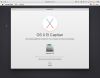
My question: Is that using the Install Mac OS X 10.11.5 Recovery Partition feature in Parallels? Or is there another way? The reason I ask is that using the former and the Reinstall OS X option in the process tells me it will take 7 hours and 22 minutes and rising to finish this process on a high speed cable connection! That seems odd to me. A few seconds later it's up to 9 hours and 55 minutes...... Now 18 hours and 2 minutes.... It's now at over 28 hours What's going on here?
Last edited:
Looks like nobody is watching this thread any more! I'm puzzled why Parallels doesn't make it easy to install the public beta versions of Mac OS now that Apple offers them to users. Being able to use the downloaded install app straight in the setup process would be great. The present process is to download a full version of Mac El Capitan - a process started yesterday afternoon and which will still take another 1 Day and 5 hours! Once that's done, I'm not even sure that file can be installed to then be upgraded. This is a very disappointing process to say the least, when VMs are the ideal way to test the beta versions.
I have quite positive experience... Not sure if this is reported elsewhere, so here is my procedure. Took about 20 minutes and you need about 16Gb for the VM and 12 Gb for the two installer files. Those you can remove afterwards.
I have today updated to the new release 11.2.1 of Parallels and created on it new Sierra Pubic 2 VM with only one minor problem in installation. It was nearly as simple as it should be. I downloaded the 10.12 installer ("Install macOS Sierra Public Beta 2.app") and moved to to my desktop (this is likely not necessary). I created new VM in Parallels, used the "install from DVD or installer..." method. Parallels found the Sierra installer app on its own on the desktop. I modified some parameters of the new VM - (to 4Gb) memory and graphic memory (512Mb) in customize - and started the installation process. Parallels told me that it needs to create bootable image out of the installer app and in few minutes there was yet another large dmg file on my desktop and installing started. Everything progressed well enough until first reboot. At that time the new VM could not find any bootable drive... Hm.
I checked the list of disks in Hardware and there were TWO - main Hard drive 1 for the VM and Hard drive 2 which was the mounted installer dmg file. But, when I looked on the boot order, this Hard drive 2 (= the bootable dmg installer) was not there listed at all, just CD, Hard drive 1 and something else. So while the Installer dmg was mounted as Hard drive 2, system was not told to boot from it. OK, I added this Hard drive 2 (=installer dmg) to the boot sequence and rebooted. Here I made a booboo - I added it as a first boot device, which caused me issues later. I believe that you should put it there as later option AFTER Hard drive 1 (does not matter which one, just after the Hard drive 1) and it should work just fine.
Anyway, booted the VM and this time the VM booted correctly off the installer dmg and installation continued. All installed well. On next reboot I had to remove this Hard drive 2 from first boot place since that caused the installation to run in circles But if you put the Hard drive 2 as boot option after the Hard drive 1 as suggested above, this should no be problem. Installation finished without any events and all si working fine. I installed Parallels tools, shut down the VM and removed the Hard drive 2 (=Installer dmg) from the list of drives and I have fully functioning Sierra Public 2 and as far as I can say, it works as expected. I did not have much time to test, but Parallels work as expected here.
I have today updated to the new release 11.2.1 of Parallels and created on it new Sierra Pubic 2 VM with only one minor problem in installation. It was nearly as simple as it should be. I downloaded the 10.12 installer ("Install macOS Sierra Public Beta 2.app") and moved to to my desktop (this is likely not necessary). I created new VM in Parallels, used the "install from DVD or installer..." method. Parallels found the Sierra installer app on its own on the desktop. I modified some parameters of the new VM - (to 4Gb) memory and graphic memory (512Mb) in customize - and started the installation process. Parallels told me that it needs to create bootable image out of the installer app and in few minutes there was yet another large dmg file on my desktop and installing started. Everything progressed well enough until first reboot. At that time the new VM could not find any bootable drive... Hm.
I checked the list of disks in Hardware and there were TWO - main Hard drive 1 for the VM and Hard drive 2 which was the mounted installer dmg file. But, when I looked on the boot order, this Hard drive 2 (= the bootable dmg installer) was not there listed at all, just CD, Hard drive 1 and something else. So while the Installer dmg was mounted as Hard drive 2, system was not told to boot from it. OK, I added this Hard drive 2 (=installer dmg) to the boot sequence and rebooted. Here I made a booboo - I added it as a first boot device, which caused me issues later. I believe that you should put it there as later option AFTER Hard drive 1 (does not matter which one, just after the Hard drive 1) and it should work just fine.
Anyway, booted the VM and this time the VM booted correctly off the installer dmg and installation continued. All installed well. On next reboot I had to remove this Hard drive 2 from first boot place since that caused the installation to run in circles
But if you put the Hard drive 2 as boot option after the Hard drive 1 as suggested above, this should no be problem. Installation finished without any events and all si working fine. I installed Parallels tools, shut down the VM and removed the Hard drive 2 (=Installer dmg) from the list of drives and I have fully functioning Sierra Public 2 and as far as I can say, it works as expected. I did not have much time to test, but Parallels work as expected here.Well, I got it to work - somehow - too, after a similar experience which I would call anything but straightforward! My model for how this kind of install should work is how an upgrade of the regular MacOS is done. None of that fiddling with boot orders, Hard Disk 1 and 2 etc. Parallels should just recognize the macOS beta install app and take care of the rest. That is what I would call an easy install....!
One problem I encounter is that unlike in my Windows 10 VM in Sierra the computer location is not recognized by the OS. Could be because in Network it shows connected via Ethernet although I'm on my WiFi Home Network.
One problem I encounter is that unlike in my Windows 10 VM in Sierra the computer location is not recognized by the OS. Could be because in Network it shows connected via Ethernet although I'm on my WiFi Home Network.

Guna@Parallels
Parallels Support
Could you please try changing the network mode to shared network as outlined in this article and let us know if the compuer location is recognized.One problem I encounter is that unlike in my Windows 10 VM in Sierra the computer location is not recognized by the OS. Could be because in Network it shows connected via Ethernet although I'm on my WiFi Home Network.
Like the Windows 10 VM the one running macOS Sierra beta is set to Source: Shared Network in the Network 1 settings.
In my version of Parallels 11.2.1 (32626) > Preferences > Advanced I do not have a Shared or Host-Only choice as shown in the article screenshot. Mine looks as per the attached screenshot. I've also attached a screenshot of my main Mac OS Network settings
In my version of Parallels 11.2.1 (32626) > Preferences > Advanced I do not have a Shared or Host-Only choice as shown in the article screenshot. Mine looks as per the attached screenshot. I've also attached a screenshot of my main Mac OS Network settings
Attachments


I managed to into install macOS Sierra on Parallels Desktop for MAC 12. I started by selecting File-->New-->Install OSX 10.11 Using the Recovery Partition. WHen prompted I entered my Apple ID for the App store. This installed MACOSX 10.11 (El Capitan) in the new VM. Once completed, I downloaded the macOS Sierra Beta downloader from the App Store. I launched the App and installed macOS Sierra. Worked very well, shortly after installing I was prompted to update the system. I am now running macOS Sierra as a VM in Parallels.
I've been running macOS Sierra beta for a few weeks now in Parallels 11 using the same steps described. The only problem I have not been able to solve, and I don't know if it's a Parallels or a mac issue. Unlike my Windows 10 VM macOS Sierra doesn't connect to the network via WiFi. The connection shows Ethernet and there is no WiFi enabling option available. This makes Siri as well as the Maps app unusable as my location can't be found.
I have a copy of Sierra installed on a USB stick (that can be booted by the hardware); do y'all think I could create a new VM "without source" and have it copy that in? For some reason, despite being a USB 3.0 capable stick and port, it's very slow, and a VM would certainly be more convenient, not needing to run just one or the other.
My preference for that over the known approach is that I wouldn't have to clean out so much space on the laptop to make room for it (even if the difference would mostly be used only temporarily).
My preference for that over the known approach is that I wouldn't have to clean out so much space on the laptop to make room for it (even if the difference would mostly be used only temporarily).
I have a copy of Sierra installed on a USB stick (that can be booted by the hardware); do y'all think I could create a new VM "without source" and have it copy that in? For some reason, despite being a USB 3.0 capable stick and port, it's very slow, and a VM would certainly be more convenient, not needing to run just one or the other.
My preference for that over the known approach is that I wouldn't have to clean out so much space on the laptop to make room for it (even if the difference would mostly be used only temporarily).
Well never mind that, I did it the hard way (install 10.11 guest first, then use that to install 10.12 on another image, then switch the boot order).
Parallels Tools does not seem to work - the mouse was unusable (or being ignored) with them installed. Fortunately, I'd already enabled sshd, so I could ssh into it, add -x -v to boot-args (safe mode boot), come up that way, and uninstall them again. The display resolution in the guest is ONLY 1024x768 (or thereabouts), and I can't seem to change it; while I'm set to 1920x1200 on the host (and the actual Retina display is higher than that, 2560x1600 or so). Microphone doesn't seem to pass through - so much for trying out Siri. And of course, forget about Location Services, since all the guest sees is a virtual Ethernet, not the actual WiFi.
Other than that, I had some issues that might have been side-effects from changing the automatically-assigned UID and GID of my account (and all files under the old UID/GID) to my usual ones. So I'm not sure they apply. But it was an adventure, and only partly satisfying.