perwallner
Member
Hi,
after a month of flawless operation I recently ran into new trouble.
Here's the story, as far as I can recall:
I had to change mac network settings to Wireless.
Starting the VM it hung while logging in to my XP account. After half an hour I chose to force quit Parallels.
Starting XP in Boot Camp I had to endure 45 minutes of disk repair. In BC I enabled wireless and all went well.
From this point on, Boot Camp runs without any visible problems. I can succesfully launch XP using Parallels, and I can access localhost. However, from this point on I have no network connection from Parallels and this is my problem!
So far I've tried:
- reinstalling parallels tools
- restoring PD network defaults
which didn't make any difference. I can't find any clues in the forums, so I'm short of new ideas...
Set up:
MBP4,1
Mac OS X 10.5.5
PD 4.0.3540
Shared networking
Win XP SP3
Info from Boot Camp:
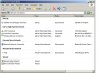
Network Connections: http://forum.parallels.com/attachment.php?attachmentid=2222&stc=1&d=1229345730
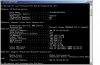
ipconfig: http://forum.parallels.com/attachment.php?attachmentid=2221&stc=1&d=1229345730
Info from PD4:
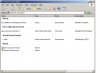
Network Connections: http://forum.parallels.com/attachment.php?attachmentid=2223&stc=1&d=1229345730
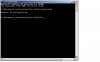
ipconfig: http://forum.parallels.com/attachment.php?attachmentid=2224&stc=1&d=1229345730
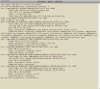
ifconfig: http://forum.parallels.com/attachment.php?attachmentid=2225&stc=1&d=1229345730
I don't quite remember what it looked like a week ago, but I think there are some things missing now...
I quite at loss here, all ideas are greatly appreciated!
Best / Per
after a month of flawless operation I recently ran into new trouble.
Here's the story, as far as I can recall:
I had to change mac network settings to Wireless.
Starting the VM it hung while logging in to my XP account. After half an hour I chose to force quit Parallels.
Starting XP in Boot Camp I had to endure 45 minutes of disk repair. In BC I enabled wireless and all went well.
From this point on, Boot Camp runs without any visible problems. I can succesfully launch XP using Parallels, and I can access localhost. However, from this point on I have no network connection from Parallels and this is my problem!
So far I've tried:
- reinstalling parallels tools
- restoring PD network defaults
which didn't make any difference. I can't find any clues in the forums, so I'm short of new ideas...
Set up:
MBP4,1
Mac OS X 10.5.5
PD 4.0.3540
Shared networking
Win XP SP3
Info from Boot Camp:
Network Connections: http://forum.parallels.com/attachment.php?attachmentid=2222&stc=1&d=1229345730
ipconfig: http://forum.parallels.com/attachment.php?attachmentid=2221&stc=1&d=1229345730
Info from PD4:
Network Connections: http://forum.parallels.com/attachment.php?attachmentid=2223&stc=1&d=1229345730
ipconfig: http://forum.parallels.com/attachment.php?attachmentid=2224&stc=1&d=1229345730
ifconfig: http://forum.parallels.com/attachment.php?attachmentid=2225&stc=1&d=1229345730
I don't quite remember what it looked like a week ago, but I think there are some things missing now...
I quite at loss here, all ideas are greatly appreciated!
Best / Per