The virtual Hard Disk 0 has wrong access permissions -> No Boot device is available

Kellez

Junior Member
Problem description:
Windows froze when i was using a 3d modelling software, i quit the VM and restart my mac, reopen VM still frozen, i quit Vm and restart my mac, reopen VM the next day and i get this message

Error Message: The virtual Hard Disk 0 has wrong access permissions

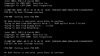
i clicked ok and then i got to this point as shown in the picture

I have already send the technical data to Parallel

Problem number is 177600351
 

Attachments

  • Screen Shot 2017-05-04 at 09.59.04.png
    Screen Shot 2017-05-04 at 09.59.04.png
    236.7 KB · Views: 17
I followed this steps up to Point 3 and it worked,

link to resolution

http://kb.parallels.com/123150

Resolution

  1. Shutdown the Windows virtual machine.

  2. Open the virtual machine hard disk configuration: go to menu bar at the top -> Actions -> Configure... -> Hardware tab -> Hard Disk 1.

  3. In Source drop-down menu choose Disconnected option.
 
I followed this steps up to Point 3 and it worked,

link to resolution

http://kb.parallels.com/123150

Resolution

  1. Shutdown the Windows virtual machine.

  2. Open the virtual machine hard disk configuration: go to menu bar at the top -> Actions -> Configure... -> Hardware tab -> Hard Disk 1.

  3. In Source drop-down menu choose Disconnected option.
Hi @Kellez, glad that you are able to fix the issue by following the instructions suggested in the article mentioned above. Please let us know if you have any questions about the product and we are here to help!
 
Hi @Kellez, glad that you are able to fix the issue by following the instructions suggested in the article mentioned above. Please let us know if you have any questions about the product and we are here to help!
Hi PaulChris, I have installed a new hard disk in my iMac. When I launch windows it cannot recognize hard disk1 as I have a new disk with everything restored from time machine. How can I get my virtual machine working again to use my windows applications on the Mac?
 
Back
Top