Trying to use F8 to start vista in safe mode

John Stoner

Bit poster
I'm trying to start Vista under Parallels in Safe Mode (don't ask), and the instruction I found say 'press F8 as Vista is rebooting.'

First try, it fails. It starts playing a song. I note there is a 'play' icon on the key, go kill iTunes, and try again.

Second try, it fails. I try fn-f8.

Third try, it fails. I see documentation on this site, saying 'go into system prefs, keyboard & mouse, click 'keyboard' tab, check "use all f1, f2 keys as standard keys."' I check the box and try again.

Fourth try, it fails. I try fn-f8.

Fifth try it fails once more. I'm outta bullets. How the hell do I start Vista in safe mode? Nothing seems to work.
 
Hello,

Basically pressing Fn + F8 should work. Judging by the issue described the reason may be that Virtual Machine does not recognize this combination at start up. It can be caused by incorrect Parallels Tools installation. Please try to reinstall Parallels Tools as described in this knowledge base article:

http://kb.parallels.com/en/4841

And check if the issue persists.
 
Can't start in safe mode

There is no fn key on my MacPro, so I can't hit FN-F8. And right-clicking the bottom tool bar in Parallels 6 does not yield a menu to add a safe mode button. So hos do I start Windows 7 in safe mode to repair some things?
 
Do you have the "Use all F1, F2, etc. keys as standard functions keys" option selected in the System Preferences -> Keyboard options?

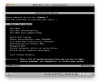
You should be able to just press F8 when you start the virtual machine as seen as you see any text. I did some testing. I was able to do it once (see screen shot) but every time after that, I would get the log in screen. I can't figure out what the timing requirement is. I think it works better from a warm boot of the virtual machine (restart from Windows) than from a cold boot (click to start in Parallels).

This seems to work reliably: press F8 repeatedly as soon as you click to start, instead of just holding the F8 key down.
 

Attachments

  • Windows 7 Safe Mode.png
    Windows 7 Safe Mode.png
    47.8 KB · Views: 16
I could not find "Use all F1, F2, etc. keys as standard functions keys" in Snow Leopard. The Parallels Help says that you should right-click the parallels panel (at the bottom I guess) and there will be a menu to customize the bar with a safe mode startup button. But I right-clicked everything and can find no such menu in Parallels 6.
 
The Parallels Toolbar is at the top of the window. It may be hidden by clicking the icon at the top right.

Note that the Safe Mode button in the Toolbar (or in the start menu at the bottom left) is not the same as the menu you get from Windows when you press F8 at startup. The documentation for the Parallels Safe Mode says "If you do not want a virtual machine to store the changes you make to it during the working session, you can start this virtual machine in Safe Mode."

To get the F8 menu to appear, just rapidly and repeatedly press the F8 key when you start the virtual machine.
 
Post a screenshot of your System Preferences -> Keyboard -> Keyboard settings.

Check for shortcuts in System Preferences -> Keyboard -> Keyboard Shortcuts settings. Maybe add an F8 -> F8 shortcut for the Parallels Desktop.app. This might override the iTunes setting when Parallels Desktop is in front. F8 will only work in this case when the Devices menu is visible in Parallels Desktop, where F8 is in the keyboard sub menu of the Devices menu.

Check for shortcuts in Parallels Desktop -> Preferences -> Keyboard. Maybe add an F8 -> F8 shortcut there.
 
Back
Top