
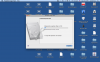
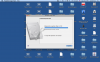
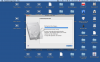
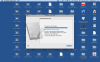
Opening Image Tool, I choose the hard drive file(which, by the way, I knew where to find through the VM config). Then I choose "Increase the disk capacity" and then from 24 GB choose 32 GB. I also unchecked the "Add the unallocated space to the last volume" box. Then after merging the snapshots, Image Tool says "An error occurred while performing the operation. The changes made to you virtual machine will be rolled back." Now, the progress bar is the normal progress bar you see everyday, the one that moves and has light lines moving backwards against the direction of progress. And, as you know, when progress bar nears the end, it turns into a single block color bar, with no wacky lines. The progress bar keeps varying in "progress" near the end. It alternates from the solid bar to the "liney" bar, constantly. This went on for a LONG time(more that 3 hours). I hit "Cancel" and then comes "Image Tool is rolling back the changes. This operation cannot be canceled. Please wait until the operation is complete." Now, I was desperate by that time and force quit Image Tool. Then I tried again to see if the same problem would occur. I repeated the exact same steps and again the problem occurred. Please, I need to use Windows for my work and need a solution ASAP. Any help would be much appreciated.
Thank you.
P.S. I added screenshots.
Edit: I forgot to add. My hd is expanding and is 24 gb. It is IDE. I don't know if this will help.
Thank you.
P.S. I added screenshots.
Edit: I forgot to add. My hd is expanding and is 24 gb. It is IDE. I don't know if this will help.
Attachments
Last edited: