Unable to install Windows

406bobby

Bit poster
When I try to install windows onto my MacBook, I have clicked inside the blue install screen and then ress the fn key and the F8 key to accept the agreement and all I get is a grey screen with what looks like are two gears. I am unable to even install my Windows X
 
Hold down your "fn" key then hit F8 and it will register the key stroke.
 
Last edited:
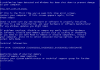
Sorry highjacking an old thread but I cannot see how to start a new one... Windows XP install is crashing on device installation...
Mac OS Mojave 10.14.6 with Parallels 14.1.3 (45485) on MacBook Pro 2011 (1TB SDD and 16GB RAM). I have a full retail version of Windows XP retail...
Attached is a screen shot of the place I'm getting stuck, any help would be much appreciated.
 

Attachments

  • Screenshot 2021-04-03 at 10.55.49.png
    Screenshot 2021-04-03 at 10.55.49.png
    33.1 KB · Views: 1
Back
Top