
I have tried all of these options and can't activate the login screen on my Windows 10
1. From the Parallels menu : Devices > Keyboard > Ctrl + Alt + Del --> no effect.
2. From physical keyboard: I tried all combinations
- Fn + Cmd + Option + Delete
- Fn + Control + Option + Delte.
3. Restart Windows VM,and also restart Mac OS host.
What else can I do to see the login screen on Windows 10 VM?
-----
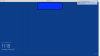
Screenshot:
1. From the Parallels menu : Devices > Keyboard > Ctrl + Alt + Del --> no effect.
2. From physical keyboard: I tried all combinations
- Fn + Cmd + Option + Delete
- Fn + Control + Option + Delte.
3. Restart Windows VM,and also restart Mac OS host.
What else can I do to see the login screen on Windows 10 VM?
-----
Screenshot:
