Upgrade to 4.0.3810 from 3.1.5626 corrupted?

Monte Shalett

Junior Member
I have been working through the posts trying to decipher how to recover from a clean install of OS X 10.5.6 from 10.4.11 on my MBP Core Duo 2.0 with 2G RAM. I am not a newbie but having lots of trouble with OS X upgrade since Macs are so simple that I never had to learn the directory structure, backups etc.

Now, I got 3.1.5626 running perfectly for my one PC application, so naturally, I decided to install Version 4.0. I unfortunately did not back up my winxp.hdd file thinking that I would have no trouble. I do have multiple versions of winxp.hdd which worked on Version 3.0.

My install failed when, probably due to a lack of sufficient HD space, I got an error message that I could not convert the Ver 3.0 file to Ver 4 format.

Now, I cannot get past the install screen wanting the Windows disk. It did detect the prior installations, but now does not seem to see them. I tried to import, but the winxp.hdd files are greyed out.

Should I copy-past the winxp.hdd file and where?

Help!

Monte Shalett
New Orleans
 
John,

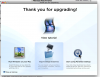
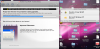
You are right, it was the fact that everything moved in PD4 from Library/Parallels to Documents/Parallels. Now, I have attempted several times to get Ver 4 up, but each time I get to another stop. See: Picture 2.png (not sure this will go through; I copied-pasted)

Attempt one got to the a Windows screen asking for the XP install disks (which I could not find).
Attempt two proceeded past that screen without re-authorizing or re-registering the XP disks (still missing).
I had not read the various warnings before I DID SHUT DOWN THE PROCESS THROUGH FORCE QUIT or some other method.

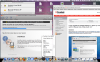
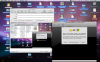
Attempt three put me into the following place Picture 3.png Picture 4.png

At this time, I am leaving the stalled install on my desktop.

OK, is it possible to start over since I hadn't documented what I was doing?

Thanks much,

Monte
 
OK, I see that the screen prints didn't pass through. I will try again by draging.

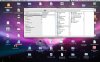
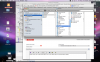
I include a shot of the PD library (the last below):

/Users/MonteMPBCoreDuo2/Desktop/Picture 2.png
/Users/MonteMPBCoreDuo2/Desktop/Picture 3.png
/Users/MonteMPBCoreDuo2/Desktop/Picture 4.png
/Users/MonteMPBCoreDuo2/Desktop/Picture 090114 1027.png
 
mshalett,

When replying: Go Advanced -> Manage attachments. There, browse for the screenshot and attach it.
 
mshalett,

When replying: Go Advanced -> Manage attachments. There, browse for the screenshot and attach it.

Thanks for that bit of info. I have attached all the pics that I could find from yesterday and the Pic 2 which is where I get to when I open PD4 today. I HAD to shut down the process of converting because I could not install printer drivers needed yesterday.

Now what, I wonder? I would love to either 1) go back to PD3 if necessary or 2) get PD4 to work; have no idea how to proceed.

Monte
 

Attachments

  • Picture 1.png
    Picture 1.png
    638.5 KB · Views: 4
  • Picture 2.png
    Picture 2.png
    217.9 KB · Views: 3
  • Picture 4.png
    Picture 4.png
    759.2 KB · Views: 3
  • Picture 5.png
    Picture 5.png
    920.8 KB · Views: 3
  • Picture 090114 1027.jpg
    Picture 090114 1027.jpg
    328.2 KB · Views: 3
a little more progress. could TimeMachine backup process interrupt the virtual machine upgrade? I got a little further, see pic, and now it is stalled at step 3. I had to shut down the TM backup and now it appears dead again. should I shut down and retry the VM again?
 

Attachments

  • Picture 3.png
    Picture 3.png
    550.7 KB · Views: 1
If at first you don't succeed, try, try again!

Success by figuring out that the little greyed out lock to the right of the progress bar takes you to Manual Install mode. As soon as I unlocked the auto install and touched the "Later" button on the Windows XP authorization screen (hidden in Auto install mode), I was able to progress. It stalled again, but this time, since I was in Manual mode, I could get past the next dialog box.

I think I have a running PD4 virtual machine.
 
Back
Top