
Install the app
How to install the app on iOS
Follow along with the video below to see how to install our site as a web app on your home screen.
Note: This feature may not be available in some browsers.
You are using an out of date browser. It may not display this or other websites correctly.
You should upgrade or use an alternative browser.
You should upgrade or use an alternative browser.
USB Bluetooth will not install in VM PD 4.0.3844.408728
- Thread starter gebauer
- Start date
Try the following article (the first part A): http://kb.parallels.com/en/4933
Drivers you need are the Boot camp drivers and located on your Leopard CD.
Drivers you need are the Boot camp drivers and located on your Leopard CD.
Parallels procedure did not work!
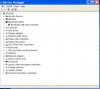
I tried the procedure listed above and the driver installed successfully but the device has an error in the device manager.
I enable the Bluetooth USB Host Controller under the PD 4 device menu and an error occurred during the hardware wizard installation of the device:
The driver installation file for this device is missing a
necessary entry. This may be because the INF was written
for Windows 95 or later. Contact your hardware vendor.
I tried the procedure listed above and the driver installed successfully but the device has an error in the device manager.
I enable the Bluetooth USB Host Controller under the PD 4 device menu and an error occurred during the hardware wizard installation of the device:
The driver installation file for this device is missing a
necessary entry. This may be because the INF was written
for Windows 95 or later. Contact your hardware vendor.
Attachments
Last edited:
Andrew de Collis
Bit poster
The same problem:
http://forum.parallels.com/showthread.php?t=90213
Apple Bluetooth drivers could not install under VM (Parallels Desktop 4.0.3844.408728) with Windows XP.
No problem with Vista.
I opened ticket at Parallels helpdesk team.
Two days they played ping-pong (try to check our KB, try to re-install everything etc.).
Last message from Parallels:
Your ticket has been escalated to our Secondline support engineers for the further detailed investigation. We will address your request as soon as possible and kindly ask for your patience and cooperation. We will contact you as soon as any investigation updates will be available.
http://forum.parallels.com/showthread.php?t=90213
Apple Bluetooth drivers could not install under VM (Parallels Desktop 4.0.3844.408728) with Windows XP.
No problem with Vista.
I opened ticket at Parallels helpdesk team.
Two days they played ping-pong (try to check our KB, try to re-install everything etc.).
Last message from Parallels:
Your ticket has been escalated to our Secondline support engineers for the further detailed investigation. We will address your request as soon as possible and kindly ask for your patience and cooperation. We will contact you as soon as any investigation updates will be available.
You need to install Bluetooth Boot Camp drivers from the latest Boot Camp version. They include records for most of hardware used by Apple. It can be found on Leopard 10.5.7 DVD or downloaded from Apple.
Please download Boot Camp Drivers Update 2.1 for Windows XP/Vista from Apple website and try to install in in Windows:
http://support.apple.com/downloads/Boot_Camp___Windows_XP_Drivers_Update_2_1 - Windows XP 32 bit
http://support.apple.com/downloads/Boot_Camp_Update_2_1_for_Windows_Vista_32 - Windows Vista 32 bit
http://support.apple.com/downloads/Boot_Camp_Update_2_1_for_Windows_Vista_64 - Windows Vista 64 bit
NOTE: Boot Camp drivers 2.0 from your Leopard DVD should be already installed.
After you install them, please try to connect your Mac Bluetooth device to virtual machine and let Windows install drivers or install it manually in Device Manager.
Please download Boot Camp Drivers Update 2.1 for Windows XP/Vista from Apple website and try to install in in Windows:
http://support.apple.com/downloads/Boot_Camp___Windows_XP_Drivers_Update_2_1 - Windows XP 32 bit
http://support.apple.com/downloads/Boot_Camp_Update_2_1_for_Windows_Vista_32 - Windows Vista 32 bit
http://support.apple.com/downloads/Boot_Camp_Update_2_1_for_Windows_Vista_64 - Windows Vista 64 bit
NOTE: Boot Camp drivers 2.0 from your Leopard DVD should be already installed.
After you install them, please try to connect your Mac Bluetooth device to virtual machine and let Windows install drivers or install it manually in Device Manager.
Hello Sir,
please refer to this article: http://kb.parallels.com/en/5962
it was updated in regards of new Apple drivers for Bluetooth.
please refer to this article: http://kb.parallels.com/en/5962
it was updated in regards of new Apple drivers for Bluetooth.