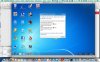
USB external devices does not work after Maverick installations

Hi Manoj

Thanks for your reply. I have reinstalled Parallels Tools but the problem remains the same. The external USB devices do not work.
Any new idea?
 
Does it give you the option to select what OS it goes to? In windows I have seen the USB driver structure get all corrupted and the only way to fix it is to go into the device manager and delete all the USB controllers, which should take out the USB roots and devices. This may fix your issue, as I do not have knowledge of the Parallels internals to give you a better answer. Can't hurt to try.

Mike
 
Hi Mike
Yes Parallels asks for the OS to connect the device.
I have removed the USB controllers and the problem remains the same. Actually it got worst because the main controllers cannot be installed back.
I have another problem that is described in another thread. The network connections are not working since I upgraded to Maverick.
It is a shame because this is going on for months.
 
Hi:

To get the usb controllers back in the system, in the device manager, there should be a little computer icon with a spyglass (or magnifying glass) on it. Press that and it will start to install new hardware, that should pick up all the USB controllers and roots automatically. If that does not work, re-boot the virtual machine. If that does not work, then the only other option that I can think of is to do a repair install of the os. Microsoft can be a real pain when the registry gets hosed and that is what is sounds like.
 
Mike
I managed to install the USB controllers back but the external devices are still with the same problem. I connect the device, Parallels ask on which VM It must be attached, I choose Windows 7 Vm but nothing happens.

I am very upset with this because I will take ages to install all the applications in a new Windows machine. Everything was fine until I install Maverick and Parallels cannot solve this problem.

Thanks a lot for you help

Hi:

To get the usb controllers back in the system, in the device manager, there should be a little computer icon with a spyglass (or magnifying glass) on it. Press that and it will start to install new hardware, that should pick up all the USB controllers and roots automatically. If that does not work, re-boot the virtual machine. If that does not work, then the only other option that I can think of is to do a repair install of the os. Microsoft can be a real pain when the registry gets hosed and that is what is sounds like.
 
Thanks Specimen

I have done all procedures you suggested but the problem remains the same.
I found out, now, that the USB controllers are with exclamation marks and a message saying that the device drivers are not installed/found.
Any idea?
 
Uninstall/Remove those devices drivers. Restart VM.

Then try to connect the USB devices to that VM machine (without any other VM running).
 
I'm sorry to say, but those USB devices in the screenshot are actually the USB Host Controllers, this is what controls USB devices, if these are not working no USB device you attach will ever work. This is probably the reason why USB stopped working. Where these the ones with the exclamation mark? I thought you were talking about the actual USB devices.

I also see you don't have access to the internet on the VM? You'll need it for Windows to be able to install the drivers automatically.
http://www.ehow.com/how_6664339_install-host-controller-driver-windows.html
 
Well, The USB host controllers stopped working after I removed it following one of the recommendations. The problem was initially that no USB device worked after installing Maverick.
The fact that the internet is also not working makes things even worst. I am trying to solve the internet problem for months and parallels does not give me any useful path to solve it. I am very upset because everything was working before a moved to Maverick as a suggestion of Parallels. And I paid US $99,00 to get me in trouble.
Thanks for you help
Regards
 
Can you do a repair install of the os? It seems as if the usb drivers from Microsoft are corrupted in this case, and a repair should resolve the issue. The I would un-install and re-install parallels tools.
 
Thanks Mike
This is the worst option. I will have to reinstall tons of development tools to get the system operational again.
 
A 'Repair Install' does not require the re installation of programs.

But before, if you remove/uninstall those controllers and then restart, Windows will try to reinstall them again. You might want to try to reinstall Parallels Tools first to get internet access.
 
Last edited by a moderator:
Most likely, the problem is with Parallels Tools not being correctly installed or conflict with their installation. Here's how to reinstall PT more securely: Thanks for sharing valuable info with us.
 
Last edited by a moderator:
Back
Top