Hello,
For my network and systems security class, I am trying to install a virtual Linux machine within my parallels. I am only seeing a 32bit option and need to be able to use the 64bit. My teacher posted a video of a workaround which had us going into the bios and enabling the virtualization feature in the bios. How would I do that in Parallels Desktop 13?
I see this link: https://kb.parallels.com/en/116239
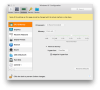
But I dont have the same screen as they are showing for Desktop 13.
Any thoughts on how to resolve this would be great.
Thanks,
Josh
For my network and systems security class, I am trying to install a virtual Linux machine within my parallels. I am only seeing a 32bit option and need to be able to use the 64bit. My teacher posted a video of a workaround which had us going into the bios and enabling the virtualization feature in the bios. How would I do that in Parallels Desktop 13?
I see this link: https://kb.parallels.com/en/116239
But I dont have the same screen as they are showing for Desktop 13.
Any thoughts on how to resolve this would be great.
Thanks,
Josh