
Hi,
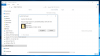
I run W10 under Parallels 12. MAC OS 10.12.6. When I open Explorer under "This PC" and also as a stand alone line under the left column I see the external drive. But on the right column there are no files at all ("The folder is empty"). Yet, there are many W10 files there, that I can see if I shut down Parallels so the drive will then appear in the MAC Finder. Furthermore, when I try to copy a folder from the W10 Desktop to the external drive I get a message that the folder to be copied cannot be found. But it is right there on the W10 Desktop and it easily opens when double clicked. I've uploaded a screen shot of the Explorer window.
Is this some weird W10 issue or does it have to do with Parallels?
Thank you for your help and suggestions.
I run W10 under Parallels 12. MAC OS 10.12.6. When I open Explorer under "This PC" and also as a stand alone line under the left column I see the external drive. But on the right column there are no files at all ("The folder is empty"). Yet, there are many W10 files there, that I can see if I shut down Parallels so the drive will then appear in the MAC Finder. Furthermore, when I try to copy a folder from the W10 Desktop to the external drive I get a message that the folder to be copied cannot be found. But it is right there on the W10 Desktop and it easily opens when double clicked. I've uploaded a screen shot of the Explorer window.
Is this some weird W10 issue or does it have to do with Parallels?
Thank you for your help and suggestions.
