
I used to have Parallels 10 set up with Windows 8.1, and it worked fine. I recently upgraded to Windows 10 and am having problems getting Parallels set up for it. I am using the education version of Windows 10. When I set up Windows 10, I deleted the Windows 8.1 partition and created a new one to start Windows 10 with from scratch. I keep trying to set up the Windows 10 bootcamp partition to work with parallels, but I cannot get it to work.
Here is what I did with pictures taken along the way:
When I opened up Parallels to start a new profile, this screen came up. There was no bootcamp option, so I followed the instructions for when that happens here: http://kb.parallels.com/en/116235
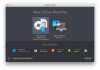
I selected "Install Windows or another OS from a DVD or image file" and checked "Continue without a source."
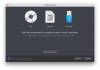
I then selected "Windows 10" on the dialog box, since that is the OS version I am using.
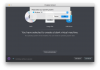
I clicked that I was going to use Windows primarily for games. (I have tried the other options too, but it gets the same outcome.)
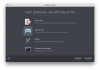
I clicked the "Customize settings before installation" checkbox and left the other options alone.
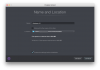
This window popped up when I hit "Continue"
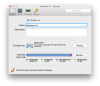
I clicked "Hardware" and then "Hard Disk 1"
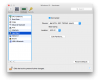
I clicked the box next to "Source" and chose my Boot Camp partition.
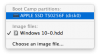
After, I clicked on "Edit Partitions" and this menu popped up:
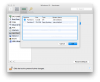
This was not on the instructions on the link I gave above, but 0.2 GB is way too small for Windows on it. So, I deselected Partition 1 and selected Partition 2. (I tried completing the setup with both, but just using Partition 2 got a better result.)
Then I clicked "OK" and closed the configuration menu.
I got a screen saying "Setting up Windows" and then another labeled "Upgrading Windows 10" with a progress bar on it.
After, I got this screen saying I need to start up Windows.
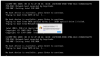
There is no "Setup.exe" on my Windows 10 partition when I start it up using bootcamp. There is an empty folder named "TEMP_PARALLELS_TOOLS" on the partition, so I know Parallels did something to it. When I go back to Parallels, I get this same screen again.
Can someone please tell me what I am doing wrong and how to fix this?
Here is what I did with pictures taken along the way:
When I opened up Parallels to start a new profile, this screen came up. There was no bootcamp option, so I followed the instructions for when that happens here: http://kb.parallels.com/en/116235
I selected "Install Windows or another OS from a DVD or image file" and checked "Continue without a source."
I then selected "Windows 10" on the dialog box, since that is the OS version I am using.
I clicked that I was going to use Windows primarily for games. (I have tried the other options too, but it gets the same outcome.)
I clicked the "Customize settings before installation" checkbox and left the other options alone.
This window popped up when I hit "Continue"
I clicked "Hardware" and then "Hard Disk 1"
I clicked the box next to "Source" and chose my Boot Camp partition.
After, I clicked on "Edit Partitions" and this menu popped up:
This was not on the instructions on the link I gave above, but 0.2 GB is way too small for Windows on it. So, I deselected Partition 1 and selected Partition 2. (I tried completing the setup with both, but just using Partition 2 got a better result.)
Then I clicked "OK" and closed the configuration menu.
I got a screen saying "Setting up Windows" and then another labeled "Upgrading Windows 10" with a progress bar on it.
After, I got this screen saying I need to start up Windows.
There is no "Setup.exe" on my Windows 10 partition when I start it up using bootcamp. There is an empty folder named "TEMP_PARALLELS_TOOLS" on the partition, so I know Parallels did something to it. When I go back to Parallels, I get this same screen again.
Can someone please tell me what I am doing wrong and how to fix this?