Hello,
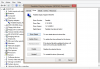
I just installed Windows 11 arm64 22000.348 with Parallels 17.1.1. I have to use "Scaled" view mode in Parallels due to legacy apps. However, the text looks very blurry on a 4k monitor (1920x1680 resolution, text 100% scale). I tried adjusting "smooth font edge" and clear type. Nothing worked. This didn't happen on my Windows 8.1 VM before. I'm not sure if there is any compatibility issue of Parallels 17 with Windows 11.
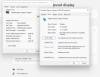
I just installed Windows 11 arm64 22000.348 with Parallels 17.1.1. I have to use "Scaled" view mode in Parallels due to legacy apps. However, the text looks very blurry on a 4k monitor (1920x1680 resolution, text 100% scale). I tried adjusting "smooth font edge" and clear type. Nothing worked. This didn't happen on my Windows 8.1 VM before. I'm not sure if there is any compatibility issue of Parallels 17 with Windows 11.