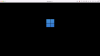
I have a new MacBook Air (M1, 2020) running MacOs 12.1 and have installed Parallels 17.1.1. This installed Windows 11. This was working fine yesterday. Today, Windows 11 stops with a black screen with the blue squares of the Windows logo. Screenshot attached. If I click on this my cursor disappears and I see a message in the top bar saying "Ctrl Alt" to free cursor. That gets it back, but I can't progress past this screen with urgent work to do. I note the CPU usage is shown in the top bar as 100%. What is happening and how can I get this working again?
I've set the mouse/trackpad as "Don't optimise for games", as I've seen that suggested, but that makes no difference to either progressing past this screen or whether the cursor disappears.
I've set the mouse/trackpad as "Don't optimise for games", as I've seen that suggested, but that makes no difference to either progressing past this screen or whether the cursor disappears.