Windows 8.1 Preview

I've been successful at creating a Windows 8.1 Preview VM using the ISO (yes, the trick is to make sure you indicate it's a 64-bit version of the OS, if it is...). But I am NOT successful at upgrading an existing Windows 8 VM using the upgrade available through the Windows Store. When I do, it goes through a few reboots and at some point throws a version of a BSoD (complete with frown emoticon, cute!),and this error:

IRQL not less or equal

The process then rolls back to the Windows 8 installation.

This apparently is a driver error. I've got Parallel Tools installed on the Win8 VM, and the failure comes before I'd have any chance to install them in the Win8.1 update.

Any thoughts?

 
Thank you ShermanH !!! I remember trying to use SpeedDownload to manage the download but Microsoft's website wouldn't allow it and I didn't check the SHA sum. It was only a partial download as it turns out. Which is so odd because the install started correctly and gave an error message that seemed to make sense given my situation.

Anyway, I redownloaded, checked the SHA and it was correct. Ran through a quick install and voila!!!!

How can I make sure that it downloads the entire file?
 
I posted a thread but it looks like it was deleted. Strange as my advice was very helpful, IMO.

Cliff notes: Installed 8.1, everything was microscopic. Asked support about it and was told to reinstall Parallels Tools. Didn't work.

Whatever you do, don't uninstall Parallels Tools manually and try to re-install. Windows will not boot if you do. You will have to select a restore point to boot Windows again.

I guess it's not "officially supported" so I have to use it at microscopic resolution. No fun.

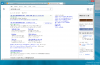
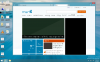
screenshot_18.jpgscreenshot_19.jpg
 
Last edited:
Hi, MarkusAerulius did you happen to get this issue resolved, as I am facing the same issue and would be interested in how you have resolved this.

Thanks in advance

How are you guys able to get it to install? I never see options for 64 bit or express install.

Here is what I do:
File -> New... -> Install Windows or another OS from DVD or image file -> Continue
-> Install From: [pick list, I select my .iso file downloaded from Microsoft] -> Continue
Automatic detection failed. Please select your operating syste: [pick list, I select Windows 8]
How do you want your windows programs to work? [I select Like a PC] -> Continue
Select name, location -> Continue
Then I see the fish and the rotating balls.
Then I select Language, time, keyboard, etc -> Next -> Install Now
Then I see "Setup is starting"
Then this:

View attachment 6990

From there I can't really do anything else so I cancel out.

This is on a Retina MacBook Pro with the latest build of MacOS and Parallels 8.

What is going on?

It seems like there is a missing driver in Parallels.
 
Windows 8.1 Preview install on new Haswell MacBook Air

Hello,
I was able to do the manual install for the Windows 8.1 Preview without too much trouble. I am however running into an issue where I cannot read anything in the browser (any browser) so I think it is some display settings in Parallels that may be the issue here. I am attaching a screenshot of what I see when running this. Any ideas here?? Thanks for any insights

Dubhead

Screen Shot 2013-08-31 at 10.31.04 AM.pngScreen Shot 2013-08-31 at 10.30.09 AM.png
 
Working now!

Try enable/disable directx.

Specimen,
Thanks so much for that suggestion, I was almost about to do this the other day but hadn't pulled the trigger. Needless to say it is working now after reducing the setting in Virtual Machine-->Hardware-->Video-->3D Acceleration from DirectX10 to DirectX9. I left the Enable vertical synchronization enabled. It seems to be working as normal at this point.

Cheers,
~Dubhead~
 
Back
Top