Hi
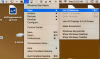
I loaded parallels for the first time today - thing of beauty and running Windows 10 nicely. One small thing. When I first opened Windows there was a lovely Windows background with the start menu and all the other things that you expect on the Windows home screen. In the top left corner of this 'window' there were the regular three Mac OS buttons - red (close), amber (minimise), green (expand), but there was another - I think blue. Being both an idiot and with my normal child-like curiosity (well, I am 55) I hit it - the Windows background disappeared never to be seen again. Now the only way I can get to the start menu is via the parallels icon top right - ok it works but I would love to have my Windows background back again.
Does anyone know what I have done and how I reverse it?
Thanks
Martin
I loaded parallels for the first time today - thing of beauty and running Windows 10 nicely. One small thing. When I first opened Windows there was a lovely Windows background with the start menu and all the other things that you expect on the Windows home screen. In the top left corner of this 'window' there were the regular three Mac OS buttons - red (close), amber (minimise), green (expand), but there was another - I think blue. Being both an idiot and with my normal child-like curiosity (well, I am 55) I hit it - the Windows background disappeared never to be seen again. Now the only way I can get to the start menu is via the parallels icon top right - ok it works but I would love to have my Windows background back again.
Does anyone know what I have done and how I reverse it?
Thanks
Martin