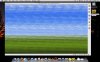
I am on a MacBook with OS X, version 10.5.5. Windows XP was installed by the retailer and I've had no problem. I installed MS Office (student edition) myself a week ago with no problem. Today when I opened Windows (which worked ) however and clicked on the Start menu, this action put lines across my screen. Trying subsequent actions just added more lines and now I can get a fully load, clean desktop and nothing works. Please attached. I feel like I might have clicked on the Start menu a second earlier than it was all finished loading. Any help?! Thanks!

Install the app
How to install the app on iOS
Follow along with the video below to see how to install our site as a web app on your home screen.
Note: This feature may not be available in some browsers.
You are using an out of date browser. It may not display this or other websites correctly.
You should upgrade or use an alternative browser.
You should upgrade or use an alternative browser.
Windows desktop not fully loading
- Thread starter macbean
- Start date
John@Parallels
Forum Maven
Please download build 5608 following link bellow:
http://download.parallels.com/v3/en/GA/Parallels-Desktop-5608-Mac-en.dmg
and reinstall Parallels Desktop as described in kb
http://kb.parallels.com/en/4790
http://download.parallels.com/v3/en/GA/Parallels-Desktop-5608-Mac-en.dmg
and reinstall Parallels Desktop as described in kb
http://kb.parallels.com/en/4790
John@Parallels
Forum Maven
It looks like Windows Font cache corruption,
Hope this somehow helps
http://labnol.blogspot.com/2006/03/how-to-fix-windows-xp-font-problems.html
You can browse internet of course for another solution
Hope this somehow helps
http://labnol.blogspot.com/2006/03/how-to-fix-windows-xp-font-problems.html
You can browse internet of course for another solution
Desktop image also gone
Hello... I failed to mention that after performing the steps originally described, the icon for Windows on my desktop turned from an image into a blank page icon. Also, when it is going into Parallels mode the screen before the Windows desktop reads "Suspended." Might there be something else going on as well? thanks!
Hello... I failed to mention that after performing the steps originally described, the icon for Windows on my desktop turned from an image into a blank page icon. Also, when it is going into Parallels mode the screen before the Windows desktop reads "Suspended." Might there be something else going on as well? thanks!
John@Parallels
Forum Maven
Did you perform suggested steps?
I performed the original steps of the build and reinstalling the Parallels desktop. That's when the image disappeared for the Windows icon and when I started getting the "Suspended" note. I have not yet tried the fix for the Font corruption... the link did not show exactly how to do that so before I messed around with that step, I had just wanted to point out what I had not mentioned before. Are you asking if I have done the font repair? thanks!
John@Parallels
Forum Maven
Yes, I asked about font corruption.
As for Suspend
in VM folder remove .mem and .sav files
As for Suspend
in VM folder remove .mem and .sav files