
Install the app
How to install the app on iOS
Follow along with the video below to see how to install our site as a web app on your home screen.
Note: This feature may not be available in some browsers.
You are using an out of date browser. It may not display this or other websites correctly.
You should upgrade or use an alternative browser.
You should upgrade or use an alternative browser.
word attachments only opening in winxp parallel
- Thread starter kbrubin
- Start date
John@Parallels
Forum Maven
When Virtual Machine is started , go to Applications Menu - Edit - select Microsoft Word Documents and select which file you want to open in which application
John@Parallels
Forum Maven
I mean on Mac OS side
Parallels Desktop - Applications - Edit
Parallels Desktop - Applications - Edit
John@Parallels
Forum Maven
Could you please paste screenshot when you are trying to access Applications menu
John@Parallels
Forum Maven
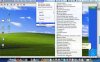
John@Parallels
Forum Maven
Use populate for Windows and Mac OS
John@Parallels
Forum Maven
Please see Parallels Desktop for Mac user guide from http://www.parallels.com/en/download/file/doc/Parallels_Desktop_for_Mac_User_Guide.pdf on page 209
Thank you for your help, but I still couldn't do anything. So I looked for a back door solution instead. I downloaded a doc to my mac desktop and right clicked to get info. I changed the configuration so that all .doc files will open in my mac word instead of xp word. Problem solved.