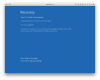
Having an empty partition on your computer's hard disk can cause confusion to the OS, leading to the error. Follow the steps to fix it.
Go to "Start" option and then "Control Panel".
Go to "Manage your Computer Settings".
Search for and find the empty partition (EFI).
Delete it before closing the tab.
Restart your computer to see error code 0xc0000225 on windows is resolved. If not, then go to next solution. https://www.errorsolutions.tech/error/windows-10-error-code-0xc0000225/
This kind of problem, i had also faced. I was so frustrated what i do because i want to solve this issue quickly so i had lots of research on internet regarding this issue, Finally i got a helpful article and i shared with your this article read this article and solve your issue of error code 0xc0000225.