Repeated crashes running FS One simulator

See below for config info...

I have had very good experience with Parallels Desktop - running 2D graphics-intensive, mission critical marine navigation programs such as MaxSea. Recently I've been trying to run the RC flight simulator "FS One" as the only XP user process [see http://fsone.com].

The FS One software operates without problems when I boot Mac Pro directly into XP. Under Parallels VM I can run FS One for a bit before crashing - up to 5 minutes before crashing.

These crashes occur running either a Boot Camp VM or a vanilla VM [created via Transporter]. The XP configs are identical for the two VMs.

I've attached a much-trimmed OS crash report.

Config:

Mac Pro 5GB
OS 10.5.4
Parallels Desktop build 5608, 2048MB allocated
XP Pro SP 2
 

Attachments

Thanks John - I appreciate your instant reply to my query. I've not replied as we lost our net connection Saturday and it is still down.

I'll report back on no-sound test results.

Steve
 
I'll report back on no-sound test results.
Steve

John - back again! My lack of reply is not due to lack of interest -- we lost our wifi internet connection Saturday ==> I had to replace our wireless bridge. We are just now back online.

I tested with Parallels sound support disabled. No change, still crashing. The last 3 crash reports are all the same, but different than the first one I posted. See attached example.

I am fairly certain that these crashes did not occur when I was running the earlier stable build prior to 5608. I don't recall the # but it was the build I had to install to conform to my new Leopard install - roughly April.

Attached are 4 edited Parallels crash reports. The filename e.g., "080705 1844 small.txt" encodes timestamp as yymmdd hhmm

Only one XP application is running = FS One flight simulator for radio control aircraft. There is no network involvement.

>>Do you use any external devices?


Yes - FS One requires a USB interface to a radio transmitter. No other USB device is active.

All of these crash reports are for a Boot Camp instance. When Parallels crashes like this the Boot Camp partition is corrupted as follows. When XP is booted directly, I get the black screen error

<<
...\System32\Hal.dll missing or corrupt:
Please re-install a copy of the above file.
>>

I've been restoring the entire XP partition as I don't know what else may be corrupted. Is there a quick/simple way to restore hal.dll etc. to avoid the restore?
 

Attachments

Can you please check is there any audio device

John, removing sound resource seems to have increased simulator flying time. Also eliminated graphics slow downs and other "goofiness" such as freezes.

But as soon as I attempt to "edit transmitter" I get the same crash I've seen so many times. See attached report.

This is where my troubles started - any attempt to perform that application function reliably, repeatably crashes. But booting native Boot Camp does not crash on this function.

Any thoughts on how I can help isolate?
 

Attachments

What is
But as soon as I attempt to "edit transmitter" I get the same crash I've seen so many times. See attached report. ?
Is it software function?
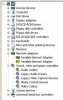
I can also see additional Parallels network adapter , please delete yellow marked, not sure but this also can be a reason.
 
What is
But as soon as I attempt to "edit transmitter" I get the same crash I've seen so many times. See attached report. ?
Is it software function?
I can also see additional Parallels network adapter , please delete yellow marked, not sure but this also can be a reason.

Yes, "edit transmitter" is a software function of the FS One simulator. I've noted that every Parallels crash report invoked by that function is identical - same address.

I'll remove the extra network adapter - did you intend to include an attachment "yellow marked"?
 
No, I just wanted to make sure , that it is not related, maybe - edit transmiter is somehow related to sound, - I do not have that software to test?

Also can you please try to install Virtual Window (I mean not based on Boot Camp), also did you try that software in Boot Camp directly?
 
No, I just wanted to make sure , that it is not related, maybe - edit transmiter is somehow related to sound

Actually not sound -- "transmitter" means a simulated radio transmitter, which controls the simulated model airplane :-)

...so can you please try to install Virtual Window (I mean not based on Boot Camp), also did you try that software in Boot Camp directly?

First, as I noted in my previous post, the XP application works fine when that volume is booted directly. I just had to restore the volume again due to the Parallels crash [missing hal.dll etc.]. I use Netrestore to backup and restore the XP volume.

If by "virtual window" you mean running Parallels on a clone of the Boot Camp partition configured as a pure virtual machine file, that produces the same Parallels crash symptoms. I've not done that recently as the Transporter image I created is not up to date -- but I can reproduce for you and post the crash report -- is that helpful?
 
I suppose you need to wait upcoming updates...

Thanks for your help John. I have a new problem with the Boot Camp partition

<<
...\System32\Hal.dll missing or corrupt:
Please re-install a copy of the above file.
>>

the same error I was experiencing with direct boot into XP following a Parallels crash. What is really strange is that now direct boot into XP works fine. I just retested to verify that Windows starts fine on its own -- but Parallels generates the hal.dll error.

What do I do now? I'm also posting this error under appropriate title "Hal.dll is missing or corrupted"
 
Back
Top