Is it possible to move snapshots to a separate drive?

cyraxx

Bit poster
We are currently using VMWare Fusion with a setup where we store each VM's base disk images on an HDD and snapshots on an SSD to speed up access to commonly changed parts of the virtual disk.

Parallels stores snapshot data within the disk image bundle so it's not as easy to separate them. For now, I have moved the base disk image out of the bundle and replaced it with a symlink - that seems to work as intended, but I am aware that's not supported and may lead to unwanted side effects.

Is there a "proper" (supported) way to move Parallels snapshots to a different drive?
 
I'm not as computer savvy as you but I'd like to completely turn off snapshots. Can that be done?

I just had a self induced failure by deleting a windows 7 file in Parallels so I had to delete the Mac Air hard drive and restore from Time Machine. Since I don't back up Parallels on Time Machine I then copied the .pvm file from my CCC copy on my portable drive. After deleting all the snapshots I regained almost 50GB of memory and in a 124GB laptop that's a lot!

Seeing as I didn't use any snapshots to restore and everything is working great could I just turn off snapshots or make it take a snapshot once a month or something? I clicked on the option that it lets me know when it takes a snapshot and for now I'll just wait until it does it and then I'll delete it but I'm looking for something automatic not manual.
 
I got your problem correctly so you just have to follow some instructions! :)
Ok right click on your mouse which will bring up a series of options.To save doing it a photo at a time I think you click on the first photo in the file,hold down ctrl and and the arrow next to the ctrl button,then click on the last photo that should highlight them all.Click on copy from the menu you bought up when you right click.Then open a window in your new hard drive,open the new folder,right click again and click on paste. It's so easy and i hope it will be helping for you definitely! :)
 
We are currently using VMWare Fusion with a setup where we store each VM's base disk images on an HDD and snapshots on an SSD to speed up access to commonly changed parts of the virtual disk.

Parallels stores snapshot data within the disk image bundle so it's not as easy to separate them. For now, I have moved the base disk image out of the bundle and replaced it with a symlink - that seems to work as intended, but I am aware that's not supported and may lead to unwanted side effects.

Is there a "proper" (supported) way to move Parallels snapshots to a different drive?

hi You can cut & past file which extention is .vmsn & vmem to desire path as a backup
vbulletin-smile.gif
 
Last edited:
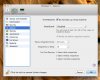
Disregard. I think I got it. SmartGuard is the snapshot program but I didn't realize that was it's name. Now I played with the custom settings and see how it all works together Thanks to all !
 
It says 24 hours but it's disabled and greyed out, so it won't make any automatic snapshots.
 
Back
Top