Windows 98 and drivers

Ajaxy

Bit poster
Hello all!

I'm trying to tune Windows 98 to work fine, but stuck with the drivers for sound and Lan (internet)..
Found a lot of threads with the same problems in older versions of PD (4,5), but no solution though.

There is no sound driver in Parallels Tools for Win98 (prl-tools-other.iso) and i can't tune Ethernet driver, because of problems with resources conflict or something (when i need to turn off some conflicting device, but the list is empty).

Well, i could forget about Lan but really, i do need sound.

Btw, w.o Lan i've got no way to share files from Mac, now i'm creating real CDs and using CD-ROM, apparently the only working thing..(
 
Haven't tried Win98 in PDM7. But instead of using real CDs you can use disk images (.iso).

Page 131 of the User's Guide: http://download.parallels.com/deskt...tion/en_US/Parallels Desktop User's Guide.pdf

I'm almost sure the sound driver is AC'97: http://www.download.com/Realtek-AC-97-WDM-Driver-Windows-98-Me-2000-XP-2003-/3000-2120-10238712.html

The lan driver is just the Realtek 8029 driver, you have to install it manually (PTools iso>Drivers>Network>Rtl8029>Win98>Select the inf, right click and press install...)
 
Last edited by a moderator:
Sorry for offtopic, but how can i create .iso image with files from Mac Disk Utility?
I've just create a .cdr (not .iso :() image with no files and i dont know how to add them into it.
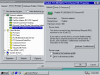
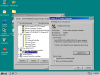
 
Specimen, thank you, i was able to mount an image with that driver and to install it, but nothing happened, still no sound at all :(
I also tried to install Lan driver, seems to be ok, but it appears with strange error (look for attachement), i've tried to reinstall Win98, but got the same problems again...(
 

Attachments

  • Изображение Parallels.png
    Изображение Parallels.png
    18.2 KB · Views: 57
.. and this one with sound device:
 

Attachments

  • Изображение Parallels 1.png
    Изображение Parallels 1.png
    30.5 KB · Views: 55
I found this driver worked:

Haven't tried Win98 in PDM7. But instead of using real CDs you can use disk images (.iso).

Page 131 of the User's Guide: http://download.parallels.com/deskt...tion/en_US/Parallels Desktop User's Guide.pdf

I'm almost sure the sound driver is AC'97: http://www.download.com/Realtek-AC-97-WDM-Driver-Windows-98-Me-2000-XP-2003-/3000-2120-10238712.html

The lan driver is just the Realtek 8029 driver, you have to install it manually (PTools iso>Drivers>Network>Rtl8029>Win98>Select the inf, right click and press install...)

http://download.cnet.com/Audio-Realtek-ALC655-AC-97-AUDIO/3000-2110_4-168843.html?tag=mncol;6
It is a dell one, it worked with parallels 8 running windows 98,
but I also need the latest direct x. avail for windows 98
http://www.oldapps.com/directx.php?old_directx=13
 
The driver referenced does not appear to support Intel High Definition Audio which is on my MacBook Pro 17 inch late 2007. I have tried for weeks if not months to get the above driver / any drive to work on this MacBook Pro with Windows 98SE. i have asked Parallels Support for a fix on this since PDM version 5 when they changed the Parallels Tools install by dropping W98SE from the Tools. PDM V 4 and V 3 Audio driver do not work either. I believe Parallels dropped the audio because they knew there was no compatible driver and did not want to create one like they did for WXP. Instead of using a Windows XP native driver, Parallels created their own drivers. Looking in Device Manager, you cannot see the real drivers. You most boot directly in WXP in Bootcamp to se the real driver names and version. A pain when one is troublshooting device manager. Parallels, care to provide details here?
 
Back
Top