I am evaluating Parallels Desktop 8 as a replacement for VMWare Fusion, with a Windows XP guest OS. One of the main advantages I see in Parallels is the built-in compressor technology to keep VM sizes minimized.
The VM imported fine, but I cannot achieve any disk compression.
I have an expanding 30 GB virtual disk, about half of which is used and the other half of which is empty space as reported by XP.
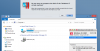
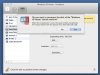
I have run Windows disk repair and defrag and have used Eraser to zero out all that free space. But Parallels always reports that it cannot achieve any compression at all, and when I run it anyway that is indeed what happens.
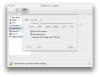
I have tried to compress the disk both by selecting the "Reclaim Disk Space" menu item under "Virtual Machine" and also by selecting "Compress" under Configure>Hard Disk.
This virtual disk has no snapshots, and Undo Disks is disabled.
Any ideas about how to get virtual disk compression to work?
Thanks.
The VM imported fine, but I cannot achieve any disk compression.
I have an expanding 30 GB virtual disk, about half of which is used and the other half of which is empty space as reported by XP.
I have run Windows disk repair and defrag and have used Eraser to zero out all that free space. But Parallels always reports that it cannot achieve any compression at all, and when I run it anyway that is indeed what happens.
I have tried to compress the disk both by selecting the "Reclaim Disk Space" menu item under "Virtual Machine" and also by selecting "Compress" under Configure>Hard Disk.
This virtual disk has no snapshots, and Undo Disks is disabled.
Any ideas about how to get virtual disk compression to work?
Thanks.