760devilfan
Bit poster
I just installed Parallels for the first time and am very impressed with it so far.
One problem I'm having, is that a hand held bar code reader that I am able to use in Boot Camp, is not working in Parallels.
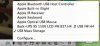
I have connected other USB devices and I get the option to connect the devices to OS or Windows 7.
This one device is giving me problems. I went back and checked in BootCamp. Under Devices, it is coming up as a keyboard.
Any ideas as how I might be able to get this to work. Hate to say it, but this would be a deal breaker for me as far as using Parallels.
One problem I'm having, is that a hand held bar code reader that I am able to use in Boot Camp, is not working in Parallels.
I have connected other USB devices and I get the option to connect the devices to OS or Windows 7.
This one device is giving me problems. I went back and checked in BootCamp. Under Devices, it is coming up as a keyboard.
Any ideas as how I might be able to get this to work. Hate to say it, but this would be a deal breaker for me as far as using Parallels.