\\psf\Host\ will work only if you have Virtual Machine -> Configure... -> Options -> Sharing -> Share Folders -> All disks enabled.
Did you try "Computer -> Map Network Drive..." in Windows? You only need to do that if you want a specific network or psf folder to be mounted with a specific drive letter. Otherwise, just use the UNC path (starts with \\) to access the files and folders.
Are you sure that path is correct? Is DiskImages a mounted disk? All folders in Volumes are supposed to be mounted disks. Is Disk A a folder on DiskImages? If you use Finder -> Go -> Go To Folder..., can you type the path "/Volumes/DiskImages/Disk A"? If it says "The folder can't be found." then the path is incorrect. Open a terminal.app window, and drag and drop Disk A to the window. It will automatically paste the correct path. What is it? I think maybe it's supposed to be "/Volumes/Disk A" on the Mac side which would make it "\\psf\Host\Volumes\Disk A" on the Windows side.
You can also try the "mount" command in Terminal.app to see a list of mount points and the devices they belong to.
First of all, my thanks for being so helpful and second, my profuse apologies for two pieces of mis-information which I'll attempt to put right below.
You are absolutely correct: /DiskImage/ is the Mac OS folder that the sparsebundle image file is stored in, so should never have been included in the "psf\Host..." command.
To recap: I mount Disk A in Mac OS before I run Parallels and start Windows 8. When I drag Disk A into Terminal as you suggest, it shows "/Volumes/Disk\ A".
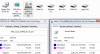
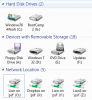
When I start Parallels and Windows 8 then enter "\\psf\Host\Volumes\Disk A" in FS, I get the "Windows cannot access \\psf\Host\Volumes\Disk A, please check spelling etc" error, with the virtual DVD/CD Rom disconnected. (Windows 8 now mounts Disk A as a second DVD/CD Rom drive on startup. It appears under "Devices with removable storage.")
However, I've had a Eureka moment! Entering "\\psf\Disk A" does the trick and FS displays the contents of Disk A.
What's a Windows disk image file? Is it ".iso" or something else?
You don't run an image file because image files are not executable code. Did you open it Windows or Mac OS?
My second senior moment of my last reply - again my apologies for this. I burned the image file I downloaded to DVD so have a bootable DVD with the usual EXE file to install Office 2013.
If it was Parallels, the name of the image file would be selected in Devices -> CD/DVD 1 instead of the usual "Disconnect" option being selected.
Re what follows, I should point out that I upgraded Parallels 8 to version 9, so these issues existed in Parallels 8, just in case this thread is giving the impression that this is a version 9 issue.
With Disk A showing as a second DVD optical drive when I boot Windows 8, Devices -> CD/DVD 1 shows Optiarc DVD RW AD-5690AH with "Disconnect" underneath. The internal Sony Optiarc optical drive is selected with the second DVD/CD Rom showing in the FS window.
Network locations shows three shared folders: Home, iCloud and Photo Stream, with Home being the MacintoshHD drive. Photo Stream also appears under "Other". This is different to Windows 7 as I also have an external USB hard drive partitioned into three Mac OS journaled partitions all of which appear correctly as hard drives. Windows 8 doesn't recognise them unless I map them as network drives. If I enter "\\psf\Host\Volumes\TimeMachine" in FS I get the "Windows cannot access" error message but as per my Eureka moment, entering "\\psf\TimeMachine" is correct.


 , and by mounting it in Mac OS X which is mounted in Windows on the virtual machine by SmartMount (drive R