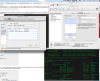
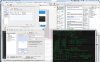
Initial setup was two partitions: MacHD with Mountain Lion & Bootcamp, back in the days everything was ok.
I shrieked MacHD partition and create second MacOSExtended partition for Mavericks DP.
After the successful install of Mavericks, my bootcamp was gone, there was no way to boot in it.
I needed to fix the partition table doing the instructions from this post:
https://discussions.apple.com/thread/4144252?start=0&tstart=0
Then everything went fine, I was able to boot all 3 of them, holding ALT button after POST signal.
However my Parallels don't see anymore the bootcamp partition so I can't make VM.
I did try vmWare Fusion trial and it was able to see it, but god I don't l like the vmware that much.
Anyone experienced something like that?
I shrieked MacHD partition and create second MacOSExtended partition for Mavericks DP.
After the successful install of Mavericks, my bootcamp was gone, there was no way to boot in it.
I needed to fix the partition table doing the instructions from this post:
https://discussions.apple.com/thread/4144252?start=0&tstart=0
Then everything went fine, I was able to boot all 3 of them, holding ALT button after POST signal.
However my Parallels don't see anymore the bootcamp partition so I can't make VM.
I did try vmWare Fusion trial and it was able to see it, but god I don't l like the vmware that much.
Anyone experienced something like that?