Parallels Desktop 9 and Mac OS X 10.10 Yosemite (as a guest OS) compatibility

I just had a thought about this. Count me among those who would like to see Yosemite running as a guest under parallels. However, being a beta, it occurs to me that such an arrangement may introduce variables that Apple would not like to contend with as it develops Yosemite. Just a thought...
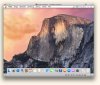
 
Yosemite is running under Parallels

I was able to run Yosemite under Parallels 10.0!!! Should also be working under older versions.
Screenshot 2014-07-27 18.10.49.jpg
I just had to create a customized bootable dmg file.
 
I was able to run Yosemite under Parallels 10.0!!! Should also be working under older versions.

I just had to create a customized bootable dmg file.

...and would you like to elaborate on that claim a little bit? Like, the origin of Parallels 10.0, perhaps? And why, because of your claim, Yosemite should run under older versions of Parallels? And, specifically, how you customised your bootable dmg file?!!

It seems to me that your post might just be a bit of a spoof!
 
...and would you like to elaborate on that claim a little bit? Like, the origin of Parallels 10.0, perhaps? And why, because of your claim, Yosemite should run under older versions of Parallels? And, specifically, how you customised your bootable dmg file?!!

It seems to me that your post might just be a bit of a spoof!

I am sorry. I forgot that I am using a private Beta of Parallels. But I am sure the steps I used will also work for the latest public version of Parallels.

I wrote a step by step tutorial. But it is in german so you may have to use a google translation.

Basically I used the tool IESD to create a bootable dng out of the Yosemite Install App and added some missing files using the hdiutil.

I then created an empty virtual machine in Parallels and configured the dmg as a bootable DVD. You do not need to install OS X Mavericks.

Then start the virtual machine and follow the installation process of Yosemite. You also have to create a new HFS+ partition to install Yosemite on.

Here you can find my description of the process (german): http://handcoder.de/os-x-yosemite-in-parallels-installieren.html

As I was able to install Yosemite, there are some bugs that prevent you from working with it without problems. But for a first impression its enough.
 
I am sorry. I forgot that I am using a private Beta of Parallels. But I am sure the steps I used will also work for the latest public version of Parallels.

...

As I was able to install Yosemite, there are some bugs that prevent you from working with it without problems. But for a first impression its enough.

So, legitimate, after all! Nevertheless, very complicated and reliant on having the various elements (gem, iesd, etc) installed and then the patience to carry out all the instructions. Then, even when you've got through all that, "there are some bugs" (not defined) "that prevent you from working with it without problems"!!

By the way, @webmatze, your English is nigh on perfect and the German instructions easy to follow, so that has nothing to do with my decision to wait until Parallels can provide something that will permit Yosemite to be installed (over a clean Mavericks installation) in a normal fashion!! As I am not a developer, but an interested member of the public hoping to contribute to the debate, my decision will not have critical repercussions!! :)
 
I am sorry. I forgot that I am using a private Beta of Parallels. But I am sure the steps I used will also work for the latest public version of Parallels.

I've tried this method (originally found on macrumors.com) some days ago with the current Parallels Desktop 9.0.24237.1028877 and it doesn't work. The created Installer-Image works, because VMware Fusion 6.04 and VirtualBox 4.3.14 can boot it, but Parallels can't ..... :-(
 
Last edited:
Thats what Parallels writes on Facebook:
HI Joel, Thanks for your comment and we'll relay this back to engineering. The team is working on Guest support but currently it will be not support until the OS ships as a final product in the fall.

just unbelievable...
 
Last edited:
just unbelievable...

Indeed, because VMware Fusion and VirtualBox support Yosemite as Guest-OS already now. It was quite clear that we have to buy Parallels Desktop 10 for this - remembers me on PD9 and Mavericks last year .....
 
Last edited:
So, legitimate, after all! Nevertheless, very complicated and reliant on having the various elements (gem, iesd, etc) installed and then the patience to carry out all the instructions. Then, even when you've got through all that, "there are some bugs" (not defined) "that prevent you from working with it without problems"!!

The problems I mentioned are that my mouse/trackpad does not cover the whole screen. So I can not reach items in Yosemites menu bar or on the dock. But by using Spotlight you can open most of the things you need. And the whole system is a little bit slow...
 
I understand completely that it's is difficult to support Beta software. However as other have mentioned one of the main uses of Virtualisation technology is the ability to test Beta software in a contained (virtualised) container. It would make the Parallels product much stronger especially as it seems Apple wil be releasing public Beta's also in the future.
I guess many users will now try a alternate Virtualisation software which is not great for Parallels...
 
Thats what Parallels writes on Facebook:

HI Joel, Thanks for your comment and we'll relay this back to engineering. The team is working on Guest support but currently it will be not support until the OS ships as a final product in the fall.

just unbelievable...

I am so done with this product.

-kpluck
 
- in the last step I had to restart because of the error message "hdiutil: convert failed - Resource temporarily unavailable" (Quite possible that a restart of the terminal would have been enough) ;-)

If you use "hdiutil detach" on each volume instead of "hdiutil unmount," a restart will not be required.

@DevonExpat: Yes, it did convent after I used "detach." I was then able to use the bootable image in VirtualBox.
 
Back
Top