
Install the app
How to install the app on iOS
Follow along with the video below to see how to install our site as a web app on your home screen.
Note: This feature may not be available in some browsers.
You are using an out of date browser. It may not display this or other websites correctly.
You should upgrade or use an alternative browser.
You should upgrade or use an alternative browser.
ubuntu 11.04 root password from Parallels
- Thread starter Dong-HuaC
- Start date

kat
Product Expert
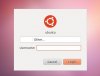
if you are in the user parallels
parallels for logon
parallels for password
unless you changed yours during installation or added another account (if you added another account exit out of that account and sign in under parallels change your password in terminal there)
it should be parallels because parallels is the default admin account
parallels for logon
parallels for password
unless you changed yours during installation or added another account (if you added another account exit out of that account and sign in under parallels change your password in terminal there)
it should be parallels because parallels is the default admin account
Thanks a lot for the quick reply.
I just installed Ubuntu 11.04 again. It directed me immediately to the login page after downloading and unarchiving. Then I changed the password (not root password) for parallels account. I tried su to log in as root, but the password (parallels) and the one I made did not work. However, I did update the parallels tools with "sudo ./install" command (no quote) and the password I made in the mounted CD/DVD directory.
I just installed Ubuntu 11.04 again. It directed me immediately to the login page after downloading and unarchiving. Then I changed the password (not root password) for parallels account. I tried su to log in as root, but the password (parallels) and the one I made did not work. However, I did update the parallels tools with "sudo ./install" command (no quote) and the password I made in the mounted CD/DVD directory.
kat
Product Expert
if you can log into the admin parallels account (you should be able to type parallels) using parallels as the password also,
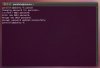
once in the vm go to terminal to change your pass word type passwd it will ask for your password enter parallels you will be ask to enter your new password 2 times.
once in the vm go to terminal to change your pass word type passwd it will ask for your password enter parallels you will be ask to enter your new password 2 times.
Attachments
Last edited:
I'm running into a similar issue, but I very specifically need the Root password.
I have an external hard drive that is a backup of a Linux device. The drive is formatted in ext3, and all of the files and folders on the device are owned by root. In order to browse the contents of the drive, I need to mount the drive on a Linux machine (done, using the Ubuntu VM), and then change the permissions on the drive... but because they are all owned by Root, I can't seem to change them unless I am logged in as Root myself, or at least upgraded to su status.
Will using the Parallels account let me change the permissions on the drive, or do I need to log in as root to do so? If the latter, I will need the actual root password, not just the Parallels account password.
I have an external hard drive that is a backup of a Linux device. The drive is formatted in ext3, and all of the files and folders on the device are owned by root. In order to browse the contents of the drive, I need to mount the drive on a Linux machine (done, using the Ubuntu VM), and then change the permissions on the drive... but because they are all owned by Root, I can't seem to change them unless I am logged in as Root myself, or at least upgraded to su status.
Will using the Parallels account let me change the permissions on the drive, or do I need to log in as root to do so? If the latter, I will need the actual root password, not just the Parallels account password.

Stuw
Parallels Developers
sudo
More information about super user in Ubuntu is described in Ubuntu documentation:
https://help.ubuntu.com/community/RootSudo
Thanks, it's good answer.If you are using Ubuntu under DP7, my impression is you can use "sudo" (no quote) before your regular linux command line. For example, to install Parallels Tools under root, I did the following:
sudo ./install
Hope this helps
More information about super user in Ubuntu is described in Ubuntu documentation:
https://help.ubuntu.com/community/RootSudo
root access
Just to clarify things:
Run <command> as root:
sudo <command>
Switch to root environment (same as sudo su - ):
sudo -i
Switch to root shell using current user environment (same as sudo su):
sudo -s
Enabling root account (direct root login):
sudo passwd root
Disabling root account:
sudo passwd -dl root
Just to clarify things:
Run <command> as root:
sudo <command>
Switch to root environment (same as sudo su - ):
sudo -i
Switch to root shell using current user environment (same as sudo su):
sudo -s
Enabling root account (direct root login):
sudo passwd root
Disabling root account:
sudo passwd -dl root
I'm on my last wire right now, I've been trying to get Steam onto Ubuntu for hours on end, with small baby steps all the way through. I have tried countless passwords to be allowed to download Steam, and I cannot get it to work. I have found myself screaming at my Mac over and over because I have tried everything that the internet has given me. I don't know what to do.
P
Parallels User
I'm on my last wire right now, I've been trying to get Steam onto Ubuntu for hours on end, with small baby steps all the way through. I have tried countless passwords to be allowed to download Steam, and I cannot get it to work. I have found myself screaming at my Mac over and over because I have tried everything that the internet has given me. I don't know what to do.
Don't double post, and although I can understand frustration, describing it here doesn't add any value for encountering a solution.
http://askubuntu.com/questions/24006/how-do-i-reset-a-lost-administrative-password
I have no idea what you searched for on the internet, but you should've searched for:
reset ubuntu root password
Last edited by a moderator:
Don't double post, and although I can understand frustration, describing it here doesn't add any value for encountering a solution.
http://askubuntu.com/questions/24006/how-do-i-reset-a-lost-administrative-password
I have no idea what you searched for on the internet, but you should've searched for:
reset ubuntu root password
I also have the problem that I dont know the root password..
I have Parallels Plesk Panel 11.0.9 logged in with SSH and I need to install Java
when I type
:~$ apt-get install default-jdk
I get
E: Could not open lock file /var/lib/dpkg/lock - open (13: Permission denied)
E: Unable to lock the administration directory (/var/lib/dpkg/), are you root?
then I try
:/$ sudo apt-get install default-jdk
I get
:/$ -bash: sudo: command not found
then I try
su
it asks for pass
tried as passwords: ssh password, ssh username, parallels .. nothing works

P
Parallels User
I also have the problem that I dont know the root password..
I have Parallels Plesk Panel 11.0.9 logged in with SSH and I need to install Java
when I type
:~$ apt-get install default-jdk
I get
E: Could not open lock file /var/lib/dpkg/lock - open (13: Permission denied)
E: Unable to lock the administration directory (/var/lib/dpkg/), are you root?
then I try
:/$ sudo apt-get install default-jdk
I get
:/$ -bash: sudo: command not found
then I try
su
it asks for pass
tried as passwords: ssh password, ssh username, parallels .. nothing works
No, you don't have the same problem, this thread does not deal with your problem.
This is not the Parallels Plesk Panel forum, this the Parallels Desktop forum.
However you have the same issue as the last poster that I replied to, and that is of posting in the wrong forum.
Last edited by a moderator:
sambarakat
Bit poster
Found It
1. Just use the UserName and PassWord you entered when setup Ubuntu on Parallels.
2. Type this command to shutdown "sudo shutdown 0".
3. It will take you to "root@ubuntu:~#" prompt.
4. Use "passwd" command to change root password.
Hope this works for you to.
I installed Ubuntu 11.04 from PD7 (automatically installed after downloading). The root password is required to update the Parallels tools. What is the default root password for Ubuntu in PD7?
I searched online and some people said it's 123, but did not work. Please help.
1. Just use the UserName and PassWord you entered when setup Ubuntu on Parallels.
2. Type this command to shutdown "sudo shutdown 0".
3. It will take you to "root@ubuntu:~#" prompt.
4. Use "passwd" command to change root password.
Hope this works for you to.

Maria@Parallels
Problem solver
Thank you for sharing this!Found It
1. Just use the UserName and PassWord you entered when setup Ubuntu on Parallels.
2. Type this command to shutdown "sudo shutdown 0".
3. It will take you to "root@ubuntu:~#" prompt.
4. Use "passwd" command to change root password.
Hope this works for you to.
Look up ´passwords and keys´ in the dash, then right click and press delete on Login password directory
useful post: https://askubuntu.com/questions/65281/how-to-recover-reset-forgotten-gnome-keyring-password
useful post: https://askubuntu.com/questions/65281/how-to-recover-reset-forgotten-gnome-keyring-password
