
Install the app
How to install the app on iOS
Follow along with the video below to see how to install our site as a web app on your home screen.
Note: This feature may not be available in some browsers.
You are using an out of date browser. It may not display this or other websites correctly.
You should upgrade or use an alternative browser.
You should upgrade or use an alternative browser.
How to get a mac virtual pc Windows xp drive into Parallels?
- Thread starter NickA1
- Start date

Hi Nick,
* Parallels is designed to import virtual machines rather than virtual hard disks. A VHD is just the hard disk, and doesn't specify anything about the machine.
* So the answer is that you need to create a simple virtual machine that uses the VHD or please follow the instruction given in the article http://kb.parallels.com/112419 to fix the issue.
* Parallels is designed to import virtual machines rather than virtual hard disks. A VHD is just the hard disk, and doesn't specify anything about the machine.
* So the answer is that you need to create a simple virtual machine that uses the VHD or please follow the instruction given in the article http://kb.parallels.com/112419 to fix the issue.
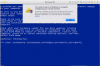
I f I try to do it from the virtual pc file on my mac I get this in terminal:Hi Nick,
* Parallels is designed to import virtual machines rather than virtual hard disks. A VHD is just the hard disk, and doesn't specify anything about the machine.
* So the answer is that you need to create a simple virtual machine that uses the VHD or please follow the instruction given in the article http://kb.parallels.com/112419 to fix the issue.
objc[825]: Class DeallocHook is implemented in both /Applications/Parallels Desktop.app/Contents/Frameworks/ParallelsVirtualizationSDK.framework/Versions/5/libprl_sdk.5.dylib and /Applications/Parallels Desktop.app/Contents/MacOS/prl_convert. One of the two will be used. Which one is undefined.
Error: The source virtual machine or disk is neither a third-party virtual machine nor a third-party virtual disk.
Also the virtual pc has extension vhdp for some reason. Even If I change it same error message. I can try the vhd file on the actual virtual pc disc.
Hi Nick,
Please follow the knowledge base article http://kb.parallels.com/en/117111 to fix importing VMware Virtual Machine fails. Error ID 41300
You can also try http://kb.parallels.com/en/122977 and please let us know how it works.
Please follow the knowledge base article http://kb.parallels.com/en/117111 to fix importing VMware Virtual Machine fails. Error ID 41300
You can also try http://kb.parallels.com/en/122977 and please let us know how it works.
Still does not work.Hi Nick,
Please follow the knowledge base article http://kb.parallels.com/en/117111 to fix importing VMware Virtual Machine fails. Error ID 41300
You can also try http://kb.parallels.com/en/122977 and please let us know how it works.
I
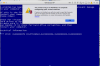 get this screenshot:
Maria@Parallels
Problem solver
Hi @NickA1, please try this solution
Well It's working!
Not sure how though. I tried to do as above but I didn't seem to get anywhere. I selected pick boot drive at startup and also tried a different backup of my Virtual Pc machine. The activation screen popped up and I was able to activate it: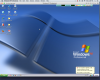
Now how do I get the context menu to work in windows with the mouse?
I have a one button mouse.
Not sure how though. I tried to do as above but I didn't seem to get anywhere. I selected pick boot drive at startup and also tried a different backup of my Virtual Pc machine. The activation screen popped up and I was able to activate it:
Now how do I get the context menu to work in windows with the mouse?
I have a one button mouse.