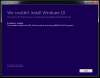
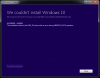
I am not able to upgrade from Windows 7 to 10 under Parallels 10, build 29105 (Mac Mini 2.6GHz i7, MacOS 10.10.4 with 16GB RAM, 4GB to Parallels). I followed the directions at http://kb.parallels.com/en/122884 as well as attempting from a 64-bit disk image from http://www.microsoft.com/en-us/software-download/windows10ISO. Each time I get about 12% into "Upgrading Windows" when I get a blue screen with an ASCII frown, followed by a resetting to previous Windows version message, followed by a dialog "We couldn't install Windows 10" (see attached screen shot).

Install the app
How to install the app on iOS
Follow along with the video below to see how to install our site as a web app on your home screen.
Note: This feature may not be available in some browsers.
You are using an out of date browser. It may not display this or other websites correctly.
You should upgrade or use an alternative browser.
You should upgrade or use an alternative browser.
Windows 10 upgrade failure with #29105
- Thread starter ThadH
- Start date
Hi Thad,
In order to complete the process please follow the steps below:
1. Download the .iso image file on the Mac side from this link: http://www.microsoft.com/en-us/software-download/windows10
2. Go to virtual machine configure >> Hardware Tab >> CD/DVD >> Mount the image file by Choosing the image file.
3. Start the virtual machine >> Open the CD/DVD drive and execute the set-up file.
Let me know if you have any additional questions.
In order to complete the process please follow the steps below:
1. Download the .iso image file on the Mac side from this link: http://www.microsoft.com/en-us/software-download/windows10
2. Go to virtual machine configure >> Hardware Tab >> CD/DVD >> Mount the image file by Choosing the image file.
3. Start the virtual machine >> Open the CD/DVD drive and execute the set-up file.
Let me know if you have any additional questions.
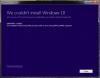
I am having exactly the same issue as ThadH. Followed the instructions on the parallels post regarding needing to update monitor drivers and downloaded the 64 bit version. Failed partway through the upgrade with the error message as per attached screengrab. Then resets to the prvious version of Windows (7 Home Premium)
Attachments
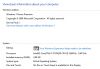
Yes, PeterC6, I am also running Windows 7 Home Premium (see attached). That is a viable upgrade route. The old Dell laptop from which cloned this Parallel's VM two years ago upgraded to Windows 10 without a hitch. It began life with Vista, and it has never run faster than now.
Attachments
So ThadYes, PeterC6, I am also running Windows 7 Home Premium (see attached). That is a viable upgrade route. The old Dell laptop from which cloned this Parallel's VM two years ago upgraded to Windows 10 without a hitch. It began life with Vista, and it has never run faster than now.
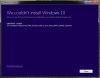
Did you manage to eventually get upgraded to Windows 10 and if so how did you manage it as I am still getting the previous error message as per attached.
Attachments
RobertPetry
Bit poster
Add me to the list of users with exactly the same error. I'll follow and try possible solutions.
Thanks.
Thanks.
Hi All,
Please follow the steps mentioned below:
1. Run sfc /scannow on the Windows virtual machine
2. Run chkdsk
3. Check whether the Windows is updated.
Then try to upgrade again and check how it goes.
Please follow the steps mentioned below:
1. Run sfc /scannow on the Windows virtual machine
2. Run chkdsk
3. Check whether the Windows is updated.
Then try to upgrade again and check how it goes.
RobertPetry
Bit poster
Hi Dhruba. I ran the two utilities suggested, completed all updates and tried again but got exactly the same result.
I ran all updates and ran the utilities again. Still the exact same error.
I ran all updates and ran the utilities again. Still the exact same error.
Last edited:

Dishant@Parallels
Parallels Support
Hi All,
I understand that you are facing this issue while upgrading to Windows 10. Looks like this is a known issue to Microsoft users. Please check this link from the Microsoft forum posts about the same issue.
http://answers.microsoft.com/en-us/...6/425d7edd-39e4-466b-8c58-efdaf5320b72?auth=1
Hope the instructions suggested in that page by other users will help you in resolving this.
I understand that you are facing this issue while upgrading to Windows 10. Looks like this is a known issue to Microsoft users. Please check this link from the Microsoft forum posts about the same issue.
http://answers.microsoft.com/en-us/...6/425d7edd-39e4-466b-8c58-efdaf5320b72?auth=1
Hope the instructions suggested in that page by other users will help you in resolving this.
RobertPetry
Bit poster
Unfortunately, that is not the same error. I did try the procedure but it did not work either.
I believe the "Something happened 0x80070002 - 0x20016" error that you are referencing is different from the 0x80070070 - 0x2000** "
We couldn't install Windows 10" error we are all experiencing.
I believe the "Something happened 0x80070002 - 0x20016" error that you are referencing is different from the 0x80070070 - 0x2000** "
We couldn't install Windows 10" error we are all experiencing.
RobertPetry
Bit poster
I believe this could be an error related to not enough free space. Although the drive is dynamically expandable, it may be that the drive is not expanding. I had 2 GB of actual "reclaimable" space and was getting to 12% before it quit. I cleared room to 9 GB and got a lot further. I am trying to get to 16GB as required for Windows 10.

Hi RobertPetry,I am having exactly the same issue as ThadH. Followed the instructions on the parallels post regarding needing to update monitor drivers and downloaded the 64 bit version. Failed partway through the upgrade with the error message as per attached screengrab. Then resets to the prvious version of Windows (7 Home Premium)
Please follow the steps before upgrading to Windows 10.
1. Run sfc /scannow on the Windows 7 virtual machine.
Click on the start button >> try CMD on the search box >> Open Command prompt as an administrator >> Type sfc /scannow >> Hit "Return"
2. Install all the Windows updates that are available
3. Now follow the steps suggested at, http://kb.parallels.com/122884 and then try Windows 10 Upgrade.
Let us know if you have any additional questions.
RobertPetry
Bit poster
Seriously PaulChris? I don't think you have read the thread. We have all done that repeatedly and followed the process and this error is the result.
Same problem: Same problem with iMac, Parallels and Windows 10. Windows 10 says not compatible with display and will not load. Parallels have a fix for this problem?I am not able to upgrade from Windows 7 to 10 under Parallels 10, build 29105 (Mac Mini 2.6GHz i7, MacOS 10.10.4 with 16GB RAM, 4GB to Parallels). I followed the directions at http://kb.parallels.com/en/122884 as well as attempting from a 64-bit disk image from http://www.microsoft.com/en-us/software-download/windows10ISO. Each time I get about 12% into "Upgrading Windows" when I get a blue screen with an ASCII frown, followed by a resetting to previous Windows version message, followed by a dialog "We couldn't install Windows 10" (see attached screen shot).
RobertPetry
Bit poster
That is a different problem. You should read the link from PaulChris. You must download the installer from Parallels.Same problem: Same problem with iMac, Parallels and Windows 10. Windows 10 says not compatible with display and will not load. Parallels have a fix for this problem?
We have a different problem with a different error and error code.
Okay, I've tried again, and it still failed. This time I first tried some cleanup. 90% of what I want this VM for is the Edge browser, so I cleaned off all the unnecessary files and apps I could--I shutdown the Tomcat service and uninstalled it, uninstalled Eclipse, Java, Git, GitHub, TortoiseSVN, Libre Office, etc. (with the necessary restarts). I opened a console as administrator and ran `sfc /scannow`. It completed without error. I checked Parallels for any updates (none, still 29105), and ran all Windows updates. I completely closed Parallels and restarted it. I downloaded Win10_English_x64.iso to my Mac and mounted it in Parallels. It ran and, eventually, failed, and reset the VM to Windows 7. The only change is that this time I got to 15% complete into "Upgrading Windows" (vs 12%), but as you can see from the attached screenshot, I got exact same "error during MIGRATE_DATA operation" that I got before. Even the same hex pair is the same.
Attachments
RobertPetry
Bit poster
Well, It wasn't the space issue as I had hoped. I turned off drive expansion and freed up over 40 GB of space in the c: drive of the VM.
I don't know what is causing this issue.
I don't know what is causing this issue.