Stuck at flashing blue screen with spinning circle when I start Windows 10

bats66

Bit poster
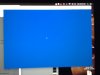
I am using Parallels Desktop for Mac 11 in a OS X El Capitan environment, and uses Windows 10 in the VM environment. Things were OK until a few days ago but then now I am stuck at a flashing blue screen (not BSOD) when I start Windows. The spinning circles are spinning non-stop so it is not a total freeze either.
I remember Windows popped up a message saying that it would restart after installing updates. I think things started to go wrong right after that but I am not 100% sure.
What should I do? Thanks
 
Hi Bats66, could you please reproduce the issue and share a screenshot of the exact error message when you are trying to start Windows 10 virtual machine, so that we could check and let you know. Thanks!
 
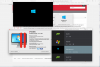
Hi, Paul, after I updated Parallels (to version 11.1.3 (32521)), last week, my Windows 10 VM (version Pro, Insider Preview, Build 14267.rs1_release.160213-0213) stuck when I started it; the solution is reset it, then it restart. Attached two screenshots, when it stucks and after reset.
 

Attachments

  • Screen Shot 2016-02-25 at 09.34.49.png
    Screen Shot 2016-02-25 at 09.34.49.png
    998.3 KB · Views: 11
  • Screen Shot 2016-02-25 at 09.41.52.png
    Screen Shot 2016-02-25 at 09.41.52.png
    260.4 KB · Views: 10
Hi Bats66, could you please reproduce the issue and share a screenshot of the exact error message when you are trying to start Windows 10 virtual machine, so that we could check and let you know. Thanks!
There isn't any error message. I just get stuck at this blue screen that flashes and a dotted circle that spins on and on and on ...
 

Attachments

  • Flashingblue.jpg
    Flashingblue.jpg
    418.9 KB · Views: 7
Hi, Paul, after I updated Parallels (to version 11.1.3 (32521)), last week, my Windows 10 VM (version Pro, Insider Preview, Build 14267.rs1_release.160213-0213) stuck when I started it; the solution is reset it, then it restart. Attached two screenshots, when it stucks and after reset.
Hello Carlos,
Looks like your Windows 10 technical preview build has expired. Please buy the full version of Windows 10 from Microsoft to fix this issue.
 
Back
Top