After update to Parallels 11: problems mouse & screen resolution

GustavB

Bit poster
I just updated to Parallels 11. When I start I experience two problems:
  1. Mouse cursor is not visible in the Windows window
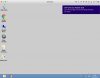
  2. The Windows screen is bigger than the window = everything is not shown in the window
I have looked through the KBs but nothing that I have tried has helped yet.
Please advise.
Thank you in advance
 
Last edited:
Hello GustavB,
This might have happened if the Parallels tools are not updated or it is not installed properly.
We suggest you to follow the steps below to install the Parallels tools :
1. Start your virtual machine.
2. In Mac menu go to Actions > Install Parallels Tools/Update Parallels Tools/Reinstall Parallels Tools.
3. Proceed with the installation and restart the Virtual Machine when prompted.
Let us know how it goes.
 
Ok, I have tried, it does not seem as if the reinstallation starts.
A box appears with a message "DVD unit (D: ) Parallels Tools. Press to select what is going to happen with this disk". Since I cannot see the cursor, I also cannot press the box. After a few seconds, the box fades out, and I do not think that the tools have been reinstalled. What can I do?
 
Hello GustavB,
This might have happened if the Parallels tools are not updated or it is not installed properly.
We suggest you to follow the steps below to install the Parallels tools :
1. Start your virtual machine.
2. In Mac menu go to Actions > Install Parallels Tools/Update Parallels Tools/Reinstall Parallels Tools.
3. Proceed with the installation and restart the Virtual Machine when prompted.
Let us know how it goes.
Hello Paul,
could you please have a look at my problem again. I still have not been able to reinstall the Tools.
See photo, there is a prompt for action what should happen to the DVD. Since the mouse is not working now, I cannot click on the box:
DVD prompt.jpg

How can I get past this?
Thank you in advance
 
Hello GustavB,
If you are not able to use your Mouse then try to install Parallels Tools manually by following the steps.
Kindly let us know how it works.
 
Hi,
I am still not able to use Parallels after the upgrade to 11. I have tried all three scenarios that you suggested. I still end up by the mouse still not working. This that I can connect the pr-tools-win.iso, but since the cursor is not available I cannot perform the necessary steps within windows.
What shall I do?
 
Hi GustavB,
Try changing mouse settings to Don't optimise for games steps below:
- Windows virtual machine configuration here.
- Hardware > Keyboard & Mouse > Smart Mouse > change it to Don't optimise for games.
- Followed try installing Parallels Tools.
Please let us know whether it worked?
 
Hi, all this has been very frustrating. I tried over and over again. Now, I have reinstalled everything from scratch, i.e. Parallels, new virtual machine, new installation of Windows and the accounting software that I use. It has taken me several hours, but at least it seems to work.
 
Back
Top