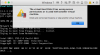
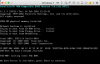
I had this problem this morning with a windows 10 virtual machine.
After trying various solutions from the forums I ended up with this process which eventually fixed the problem..
1: Resumed the virtual machine in Parallels desktop and waited for the error message
2: Stopped the windows vm process with mac Activity monitor (Parallels couldn't stop it)
3: In the Parallels vm configuration, hardware tab, disk page, changed the source to disconnected
4: Restored the windows vm image from time capsule backup last night
5: Exited Parallels desktop
6: Restarted Parallels desktop
7: In the vm configuration, hardware, disk page, changed the source to the restored windows vm image
8: Closed the configuration page
9: Restarted the windows vm
Everything then ok