Successful Windows 10 install, but now I can't shut down

JohnM4

Bit poster
This morning I upgraded to Windows 10. The installation appeared to go smoothly, and Windows 10 was running on my VM. I followed the final instruction on Parallels' walkthrough, and changed the name of the VM from Windows 7 to Windows 10. I don't know if this was the cause, or a coincidence, but now I cannot shut down Windows 10. It appears to be Suspended, but when I try to Resume, I just get a black screen.

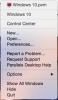
Screen Shot 2015-08-02 at 12.38.21 PM.png
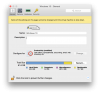
In the Parallels General Settings I have this:
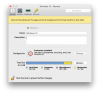
Screen Shot 2015-08-02 at 12.29.30 PM.png

Can anyone offer a suggestion? It looks like I need to Shut Down, but when I attempt to do that, it only Suspends Windows, and I'm not even sure it's doing that correct.y And at this point, I can't even undo the last simple change to the VM name.
 
Last edited:
I am having the same problem. The only thing I can do with my black-screen Win 10 VM is suspend it. If I choose Shut down nothing happens. As to your suggestion to reset the VM, I cannot find any way to do that. One support page suggests doing it via the dock icon, however right-clicking on the parallels icon in the dock doesn't offer that option. All I see is:
upload_2015-8-5_20-30-30.png
 
I have the same problem as stated above. In the Windows 10 window it shows "Windows 10 Suspending..." Then when I go to >> Actions >> Reset, the Reset button is in gray and I cannot click on it. I can only click Suspend, which does nothing.

Any other ideas?

Thanks Dhruba!
 
Hi Jason,
Please try the steps below:
Click on the virtual machine >> From the Apple menu bar >> Actions >> Stop and then start and let us know how it works.
 
I have same problem win Win10 and
Version 11.2.0 (32581). Can't shutdown. I upgraded win7 to Win 10. Soon after upgrade shutdown does not work.
 
I have same problem win Win10 and
Version 11.2.0 (32581). Can't shutdown. I upgraded win7 to Win 10. Soon after upgrade shutdown does not work.
Does stopping the restarting the Windows help? You could stop the virtual machine from Actions->Stop menu. Let us know how it goes.
 
Did anyone ever find a solution to this? I have the exact same issue. Using Action->Shutdown does nothing. I can stop the VM, but Windows becomes very unhappy about the unexpected shutdown.
 
also above your VM name where you have Windows 10 it still has Windows 7. this is what parallels still thinks the VM is. Shutdown the Vm by clicking actions and reset and click Where it says Windows 7 and you will get a dropdown menu that you can select windows 10 from. Now reboot and try to reinstall parallels tools.
 

Attachments

  • Win7 to 10.png
    Win7 to 10.png
    175.8 KB · Views: 2
Does stopping the restarting the Windows help? You could stop the virtual machine from Actions->Stop menu. Let us know how it goes.
It works, or it seems to work.
After doing so I get access to preferences, and system marks Win10 as shutdown... BUT!!!!
- if you shutdown Parallels, when boot it up (Parallels, not Guest system Win10).. guess what? Win10 is marked again as in "Sleep mode", and I have no access to preferences (until I do again Actions -> Stop)
- if I try to change any properties in "Parameters tab", for example first "Start and Shutdown" it just does not allow to change it!!! I mean for a few milliseconds it appears in chosen position, but immediately after jumps back. The same happens in EVERY PLACE in settings!
 
Hello Igor5,
You can try to use the option Actions > Shutdown but wait till Windows is shut down if you close the VM window before it is completely shut down then it will enter the suspended mode. You have to change the Startup and Shutdown options when the VM is shut down.
 
Back
Top